


Shelfferry Sync a Shopify store's products, variants, collections, metafields and market prices into Framer CMS, and sell with buy buttons, a cart and Shopify checkout that keep working without a subscription
$59 a month or $499 a year per seat, or $699 once. Free trial: 5 syncs of up to 25 products over 7 days, and you can add the store components during the trial. Connecting a store and the dry run are always free. No card needed.
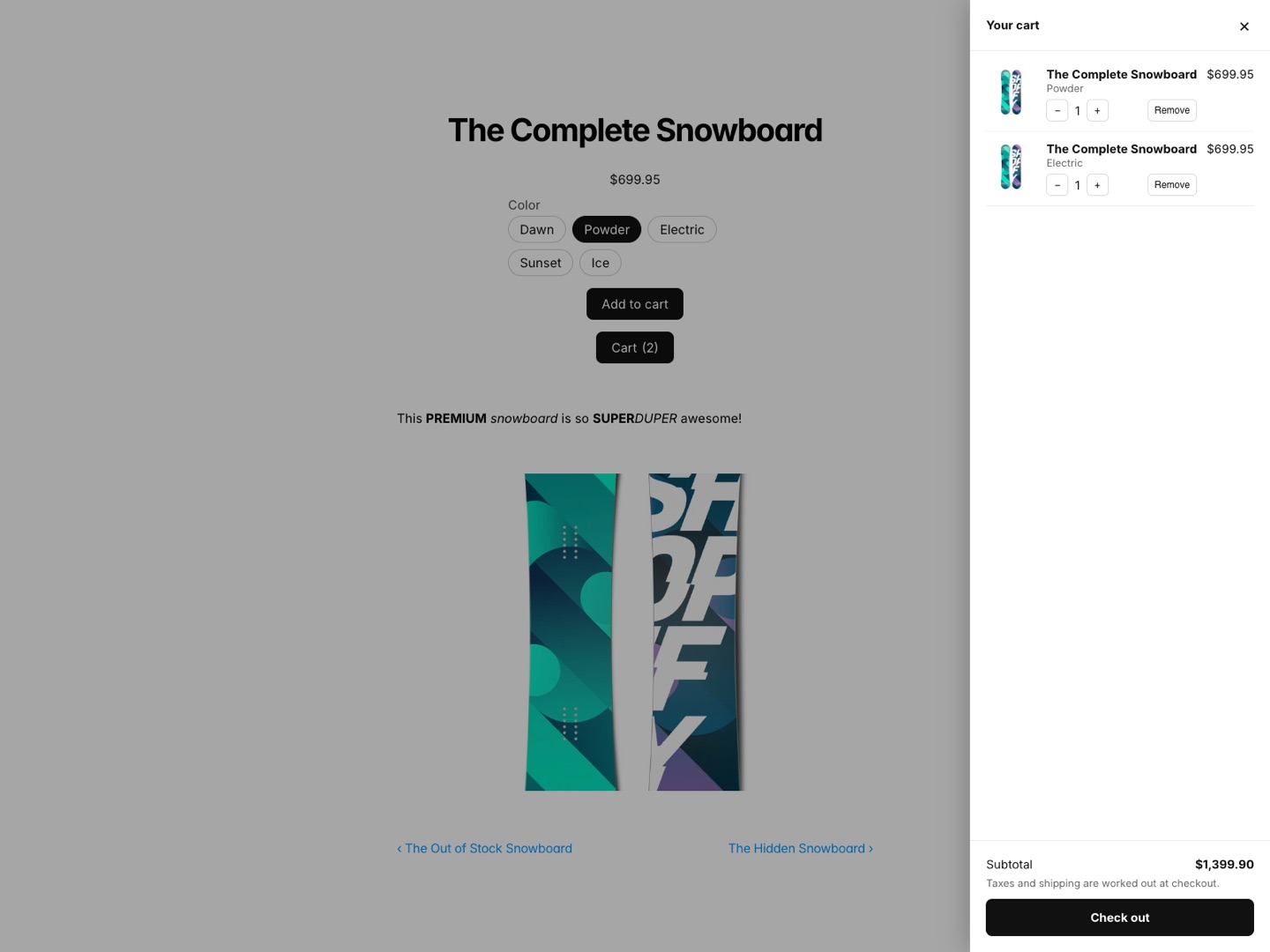
Sell your Shopify products on a Framer site. Shelfferry syncs products, variants and collections into Framer CMS collections you design with, and gives you a buy button, a cart and live prices that check out on Shopify. Your store keeps working even if you stop paying us.
What you get
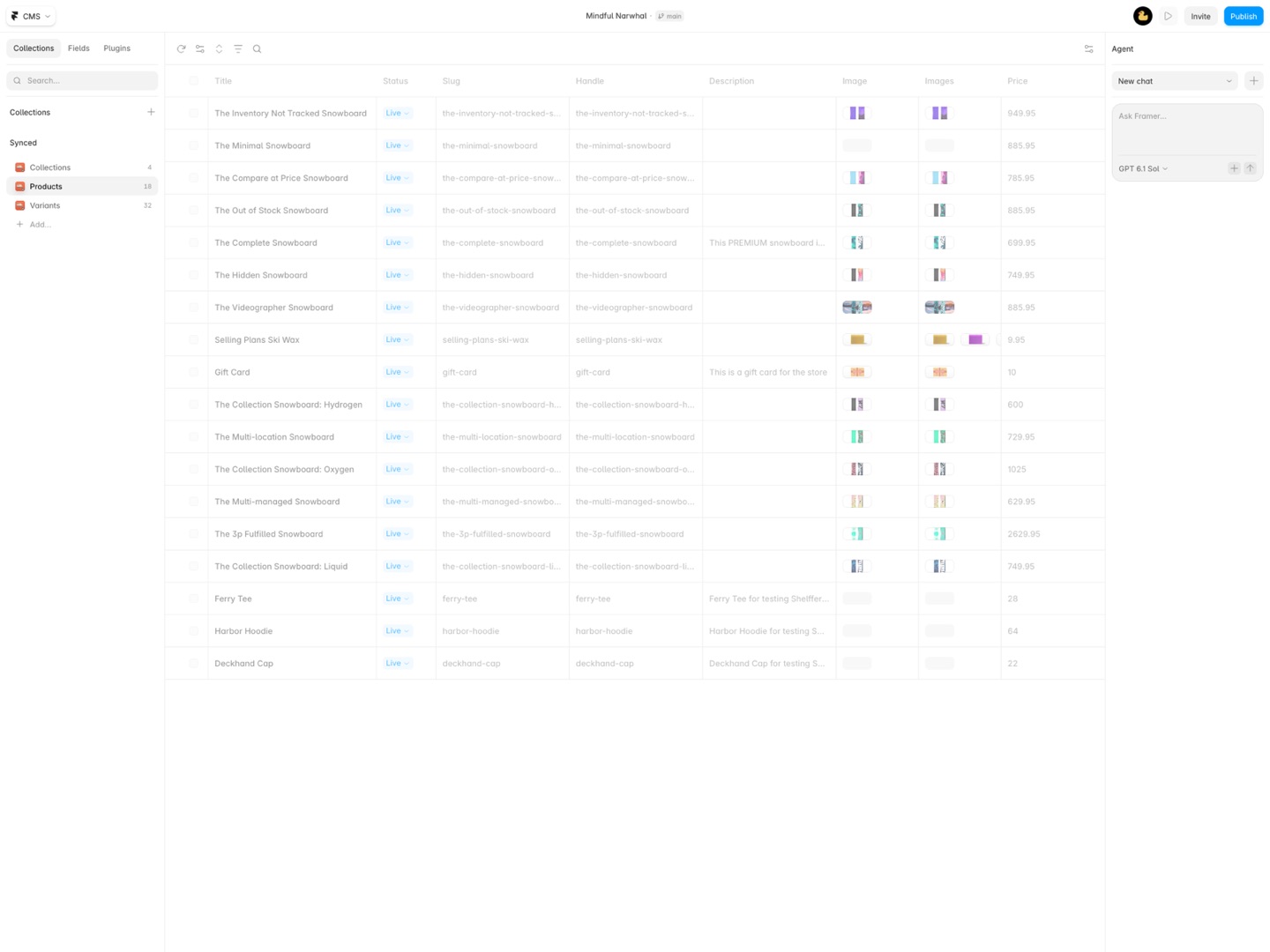
- Products, variants and Shopify collections synced into Framer CMS collections that update from the CMS's own Sync button
- Pick the fields and name them: title, description, images and gallery, price, compare-at price, stock, vendor, type, tags, options, SEO fields, dates
- Any metafield your store shares with the Storefront API, by namespace and key, as text, numbers, toggles, links, dates, colors, rich text or images
- Prices in up to 8 markets as their own fields, in each market's currency
- Variants as their own collection linked to Products; products linked to their collections
- Incremental sync: only products that changed are read, unchanged items are skipped, products removed in Shopify are removed in Framer
- A dry run before every sync with a CSV report
- Store components written into your project: buy button (add to cart or buy now), cart with Shopify checkout, live price in the visitor's currency, product options, country picker
- The published store talks to Shopify directly: no badge, no Great Work server, and it keeps working if you stop paying
- No account to create: a public Storefront token from Shopify's free Headless channel is all it needs
How Shelfferry works
- Get a token from Shopify. Add the free Headless sales channel, click Create storefront and copy its public access token. Publish your products to that channel.
- Open Shelfferry in Framer. On the Store tab, paste your store address (like
your-store.myshopify.com) and the token, then click Connect. You see the store's name, its currency, the countries in its markets and whether the token can read stock counts. - Pick what the collection holds: Collections, Products or Variants, and click Create collection. Do them in that order, so products can link to their collections and variants to their products.
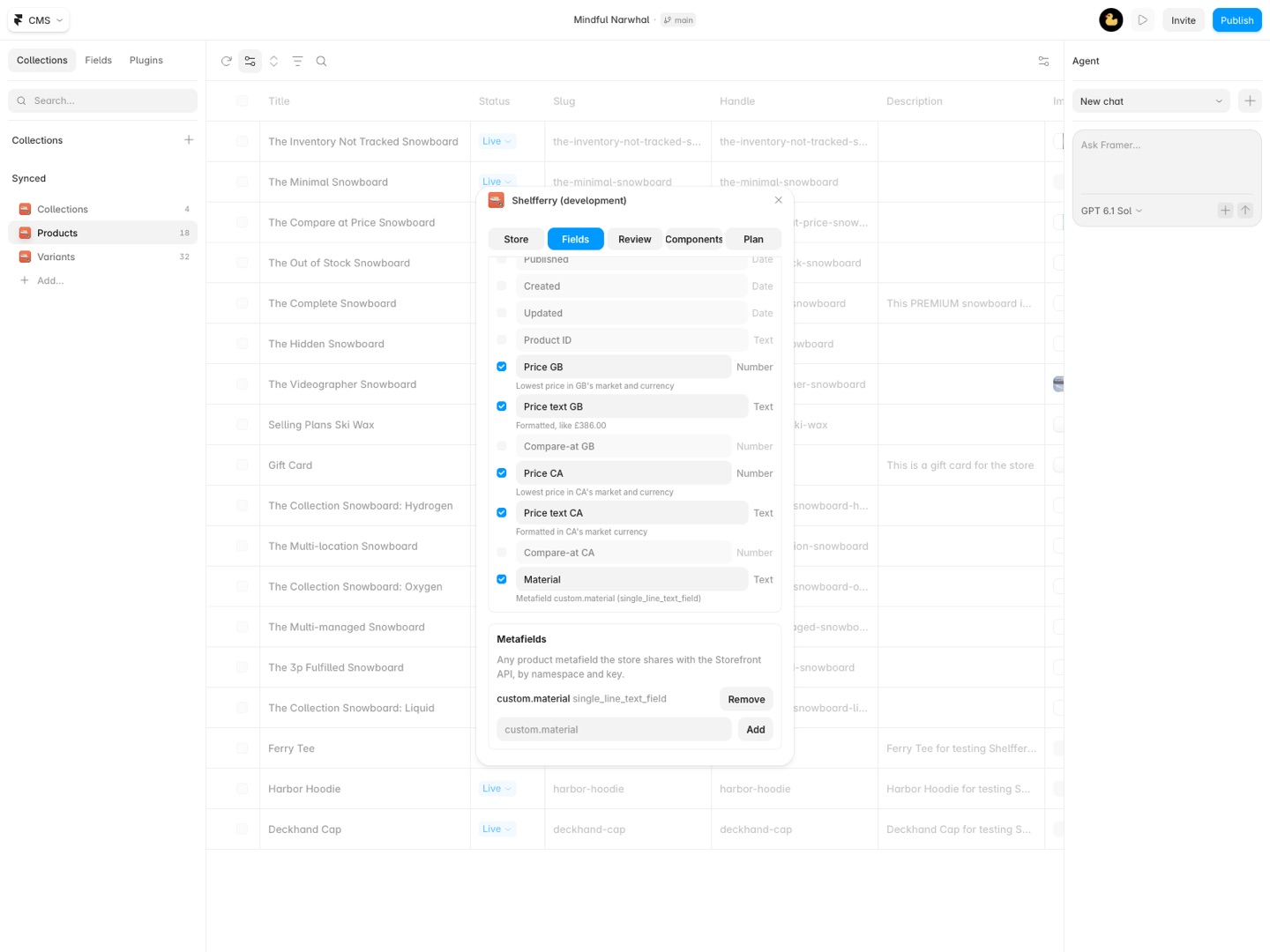
- Choose the fields on the Fields tab. Switch fields on or off and rename them, add metafields by namespace and key (like
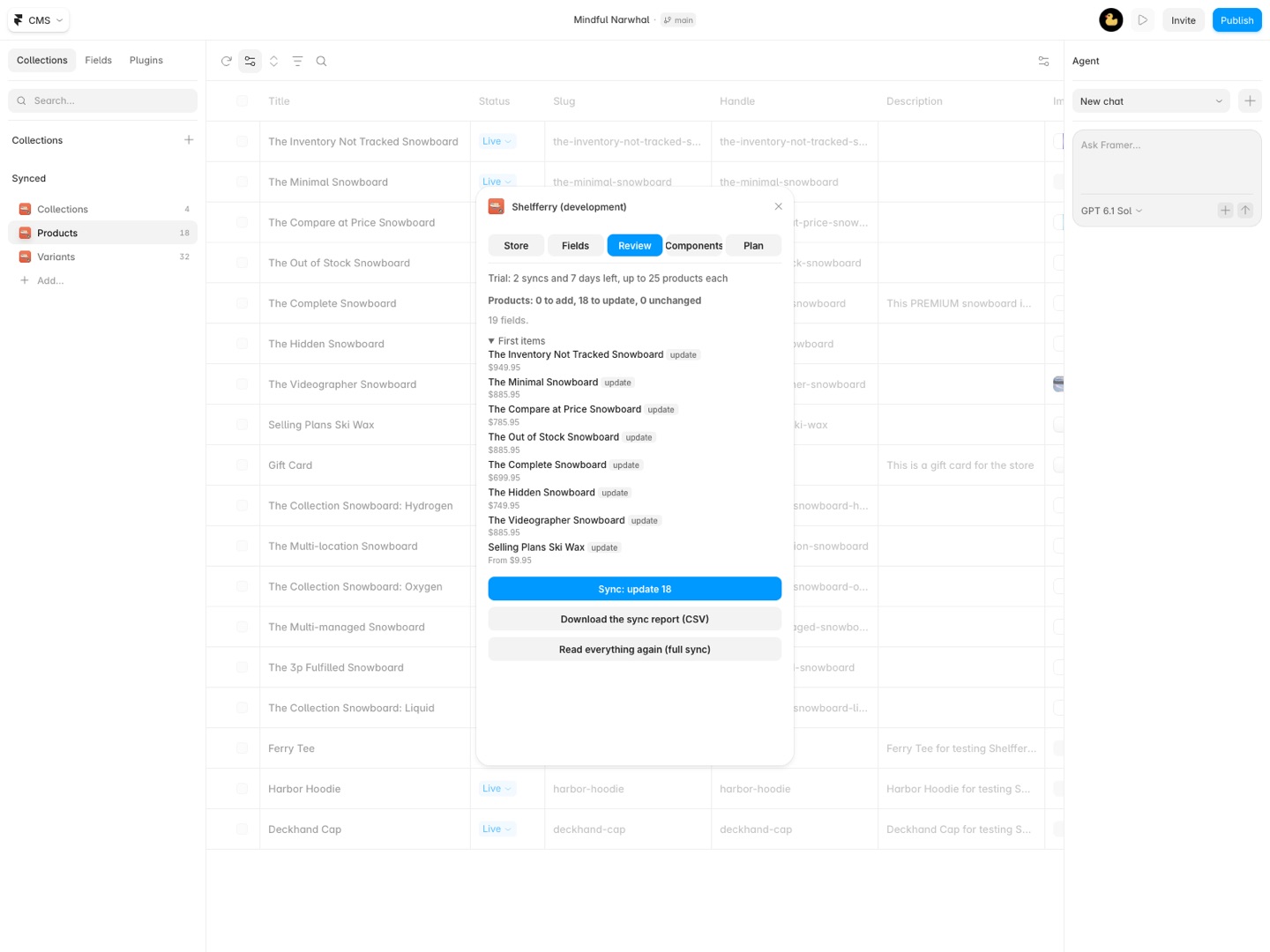
custom.material), add up to 8 countries for Prices in other markets, and tick Make sold-out products drafts if they should drop off the published site. - Run the dry run. Review shows what a sync will add, update, leave alone and remove, and anything worth a look, with Download the sync report (CSV).
- Sync. After the first sync, anyone on the project can press Sync on the collection in Framer's CMS. Only products that changed in Shopify are read again.
- Add the store components on the Components tab: Buy button, Cart, Price, Product options and Country picker. On a product's CMS page, connect each one's Handle to the synced Handle field.
Every setting is explained in the Shelfferry documentation.
Who it's for
Brands that designed their site in Framer
Your marketing site already lives in Framer and the shop is a separate Shopify theme that looks nothing like it. With the catalog in Framer CMS, product pages are designed like any other CMS page, and the cart and checkout stay on Shopify.
Designers building stores for clients
The client keeps managing products, stock and orders in Shopify admin, where they already work. You lay out the product and collection pages once, and new products show up after the next sync without you touching the project.
Stores selling in several countries
A shopper in the UK sees the UK price in pounds and a shopper in Japan sees yen, as each market is set up in Shopify. The Country picker lets a visitor switch, and the cart follows.
Small catalogs with a strong story
A few dozen products with long descriptions, galleries and metafields like materials or care notes. Each product gets a page you design, not a theme template.
Shelfferry or Shopify's Buy Button channel
Shopify's own Buy Button channel gives you a piece of embed code per product or collection, which you paste into a Framer embed. That works for one or two products on a landing page. Each embed is its own little shop window, though: the product's name, images and price live inside the embed, not in Framer, so you can't design a product page from CMS fields, list products in a Framer collection list, filter them, or give each product its own address with its own SEO title.
Shelfferry puts the catalog into Framer CMS as real fields, so Framer can lay out, list and index every product. Use the Buy Button channel if you sell a single product; use Shelfferry when the catalog is the site.
Limits and requirements
- A Shopify store, with products published to the sales channel your token belongs to (Headless or a custom app).
- Metafields only come through once Storefront access is turned on for them in Shopify, under Settings > Custom data.
- Up to 250 variants per product, 8 market price sets and 20 metafields per collection.
- Framer's CMS item limits for your plan apply. The dry run warns before a sync would go over.
- Checkout, payments, taxes, shipping and discount codes run on Shopify's checkout. Customer accounts, subscriptions and reviews aren't part of Shelfferry.
Shelfferry guides
Questions about Shelfferry
What does Shelfferry do?
Sync a Shopify store's products, variants, collections, metafields and market prices into Framer CMS, and sell with buy buttons, a cart and Shopify checkout that keep working without a subscription. Sell your Shopify products on a Framer site. Shelfferry syncs products, variants and collections into Framer CMS collections you design with, and gives you a buy button, a cart and live prices that check out on Shopify. Your store keeps working even if you stop paying us.
What does Shelfferry work with?
Shelfferry works in Framer, in the desktop app and in the browser.
How much does Shelfferry cost?
$59 a month or $499 a year per seat. $699 once for lifetime access, per seat. Buying for a team? Pick the number of seats at checkout and one license key covers everyone. Billed by Great Work LLC through Stripe, not through Framer. Cancel any time from Manage billing.
Is there a free trial?
Free trial: 5 syncs of up to 25 products over 7 days, and you can add the store components during the trial. Connecting a store and the dry run are always free. No card needed.
Where do I install Shelfferry?
From the Framer Marketplace. Use the Install button on this page, or search for "Shelfferry" there.
Who makes Shelfferry?
Great Work LLC, an independent software company. Email hello@greatwork.company with any question about Shelfferry and someone will answer.
Can I build a Shopify store in Framer?
You can build the storefront in Framer: product pages, collection pages and the cart. Shopify still holds the products, stock and orders and runs the checkout.
Does the store stop working if I cancel Shelfferry?
No. The components run in your visitors' browsers and talk to Shopify directly, and nothing in them checks your license. Without a license you can't sync new changes into the CMS.
Do product changes in Shopify show up on their own?
They show up the next time someone presses Sync on the collection in Framer's CMS and publishes. Live prices in the Price component come straight from Shopify when the page loads.
Will Shopify's apps and discounts work?
Discount codes, taxes, shipping and payment methods work at Shopify's checkout. Apps that add widgets to a Shopify theme, such as reviews, don't appear on the Framer site.
Is the Storefront token safe to put in a website?
It's the public token Shopify makes for websites: it can read what your online store shows and create carts. Shelfferry refuses Admin API tokens (those starting with shpat_) because those can change your store.
Can I show stock levels?
Yes, if the token can read inventory. The Store tab says whether it can. In stock yes or no works either way.
How do I give each product its own page?
Create a CMS page for the Products collection in Framer. Every synced product gets an address from its handle, and its SEO title and SEO description fields can fill the page's settings.
Does one seat cover several stores?
Yes. A seat covers every Framer project, store and product count, on up to two Framer accounts.
More Framer apps
 Sightwell
 Pressferry
 Sourceferry
 Tokenmend