


Pressferry Move a WordPress site's posts, pages and custom post types into Framer CMS: categories, tags, authors, images, SEO fields, links and redirects, with a dry run, re-import and undo
$39 a month or $129 a year per seat, or $169 once. Free trial: 5 imports of up to 25 posts over 7 days. Reading your site and the dry run are always free. No card needed.
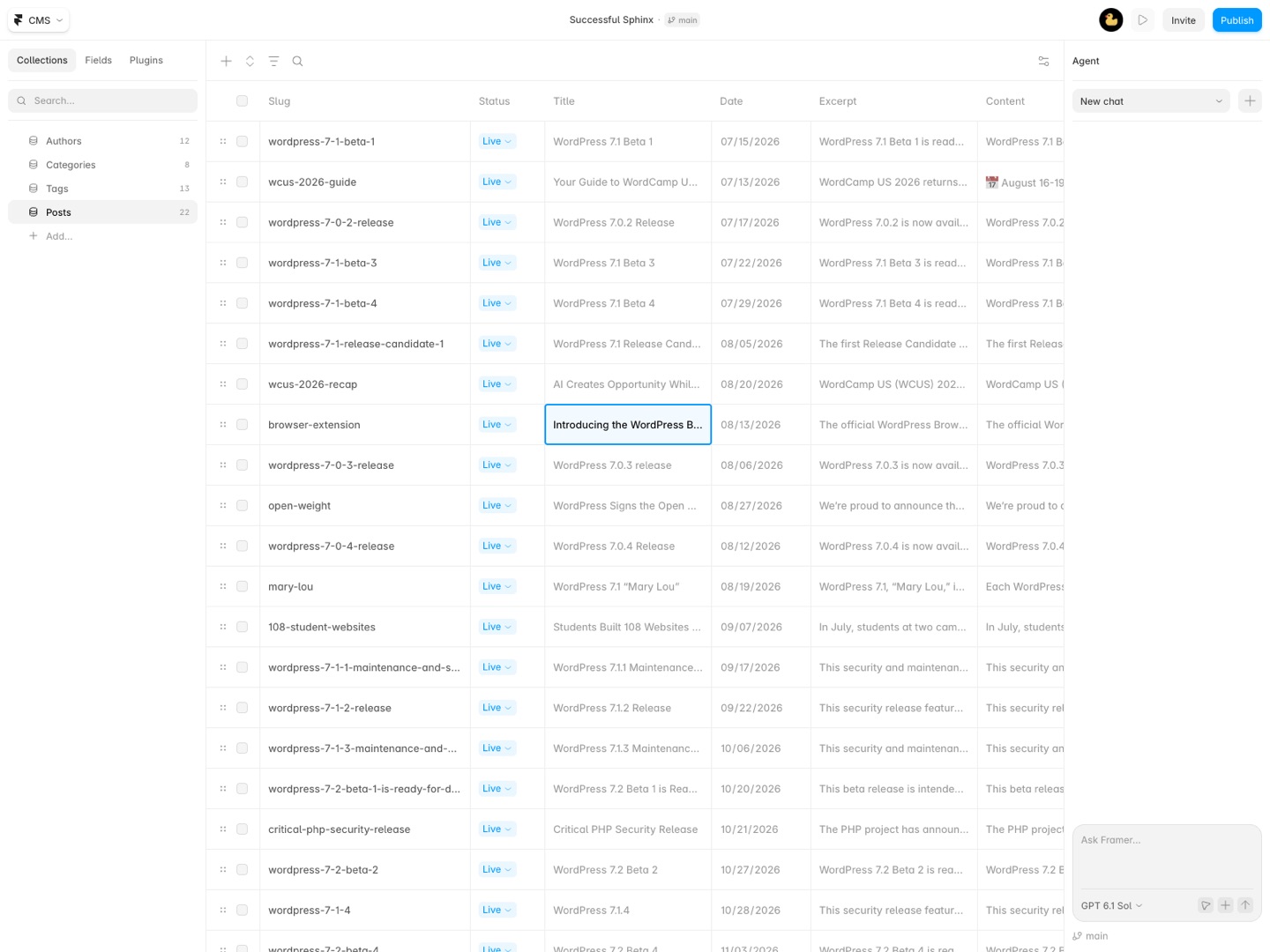
Move your WordPress site into Framer CMS without copy and paste. Pressferry brings over posts, pages and custom post types with their categories, tags, authors, images, SEO titles and custom fields. Links between posts point at their new addresses, and every old address gets a redirect so your search rankings come along.
What you get
- Reads a WordPress site through its public API, or a WordPress export file (Tools > Export) that always works and includes drafts
- Posts, pages and every custom post type, each into its own CMS collection, with the fields you pick and name
- Rich text converted to Framer's formatted text: headings, lists, links, quotes, tables, code blocks with their language, images, YouTube and Vimeo
- Gutenberg blocks, reusable blocks, classic-editor paragraphs and shortcodes (captions, galleries, embeds, code) handled; forms, page builders and plugin blocks flagged with what to do
- Images copied into Framer with their alt text, so nothing breaks when WordPress is switched off
- Categories, tags and custom taxonomies as their own collections (references) or option fields; authors as a collection with bio, avatar and website
- Yoast and Rank Math SEO titles and meta descriptions, ACF fields (text, numbers, dates, links, images, toggles)
- Links between posts rewritten to their new Framer addresses
- Redirects from every old WordPress address, added to Framer in one click or downloaded as a CSV
- A dry run first: what gets added, updated and skipped, and what needs a look, with a CSV report
- Run it again any time: changed posts update, unchanged ones are skipped, new ones are added
- Undo the last import
- Your content goes from WordPress to Framer directly; Great Work never sees it
How Pressferry works
- Open Pressferry in your Framer project. It has four tabs: Source, Map, Review and Plan.
- Point it at WordPress. On Source, type the site's address and click Read site, or pick the
.xmlfile from WordPress's Tools > Export > All content (a.zipwith the file inside works too). You see a count of each post type, each taxonomy and the authors. - Click Next: choose what goes where. On Map, each post type is a card: tick it, name its collection, set the page path you'll use for it (like
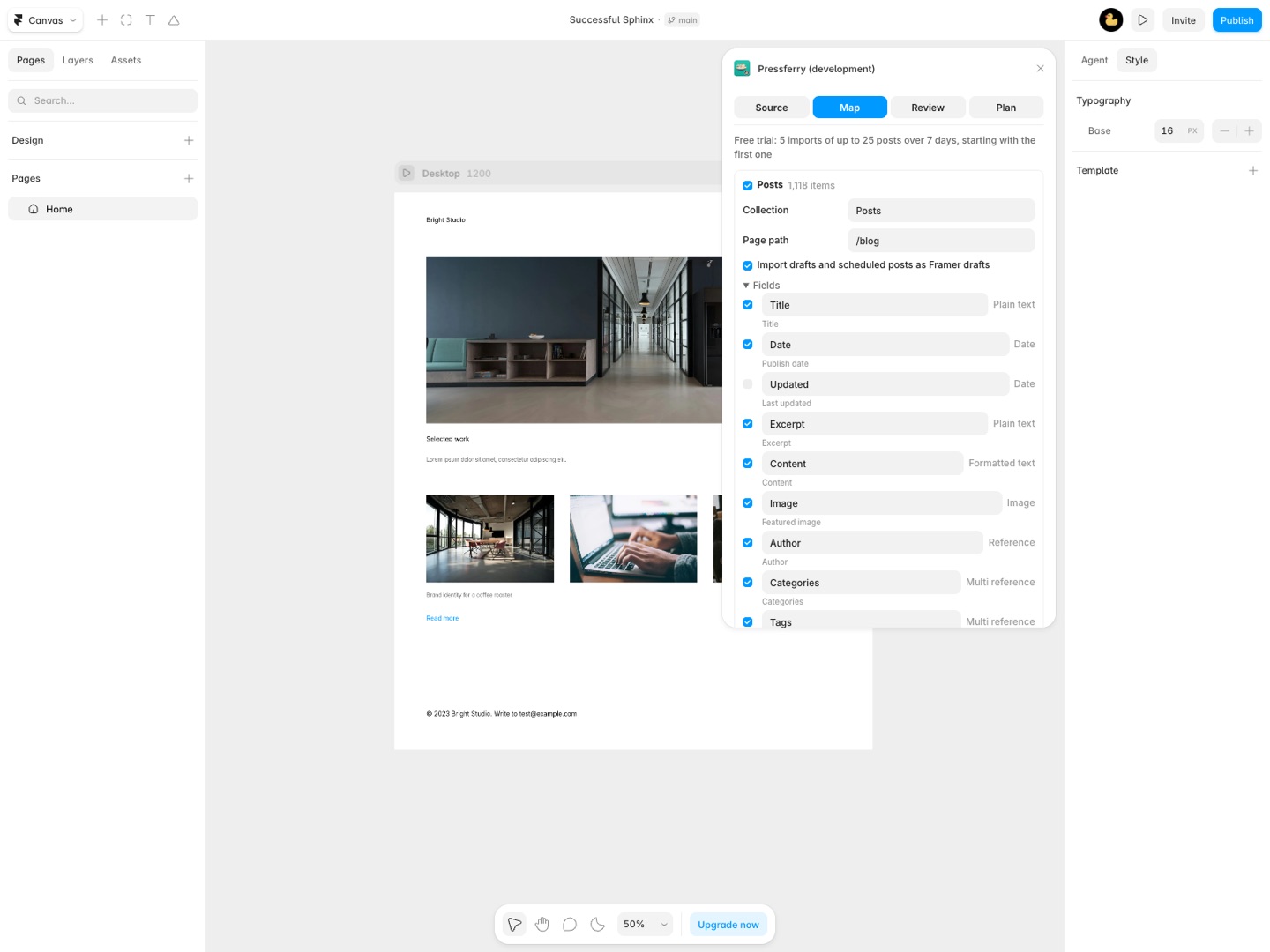
/blog) and decide whether drafts and scheduled posts come across as Framer drafts. Under Fields, switch fields on or off, rename them and change a type where there's a choice. - Choose how categories, tags and authors arrive. Each taxonomy can be a Collection (reference), an Option field (first one), plain Text, or Leave out. Authors can be a collection or just a name.
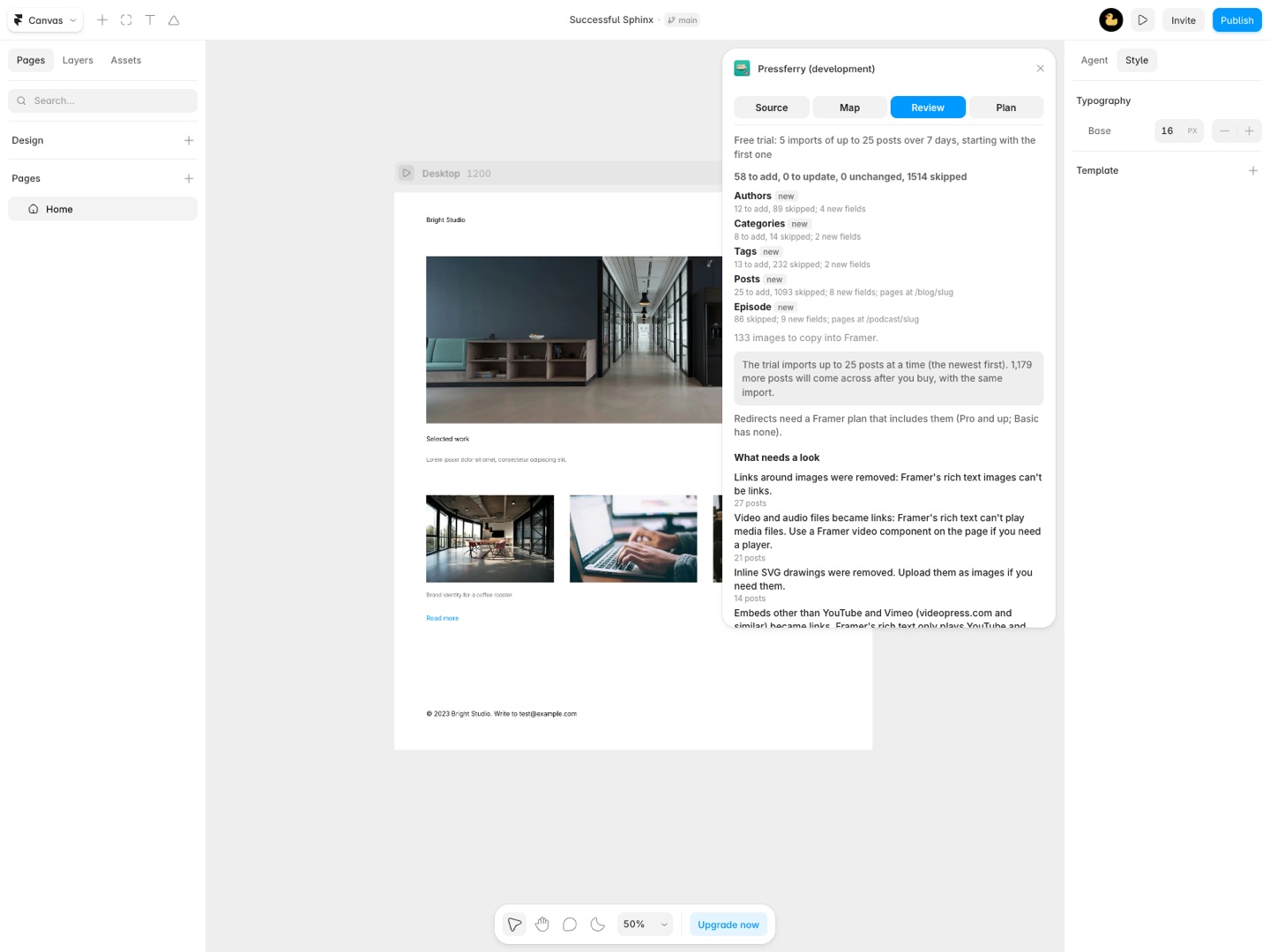
- Click Dry run: see what will happen. The Review tab lists, per collection, what will be added, updated, left unchanged and skipped, how many images get copied, and a What needs a look list. Download the dry-run report (CSV) if you want it in a spreadsheet. Nothing has been written yet.
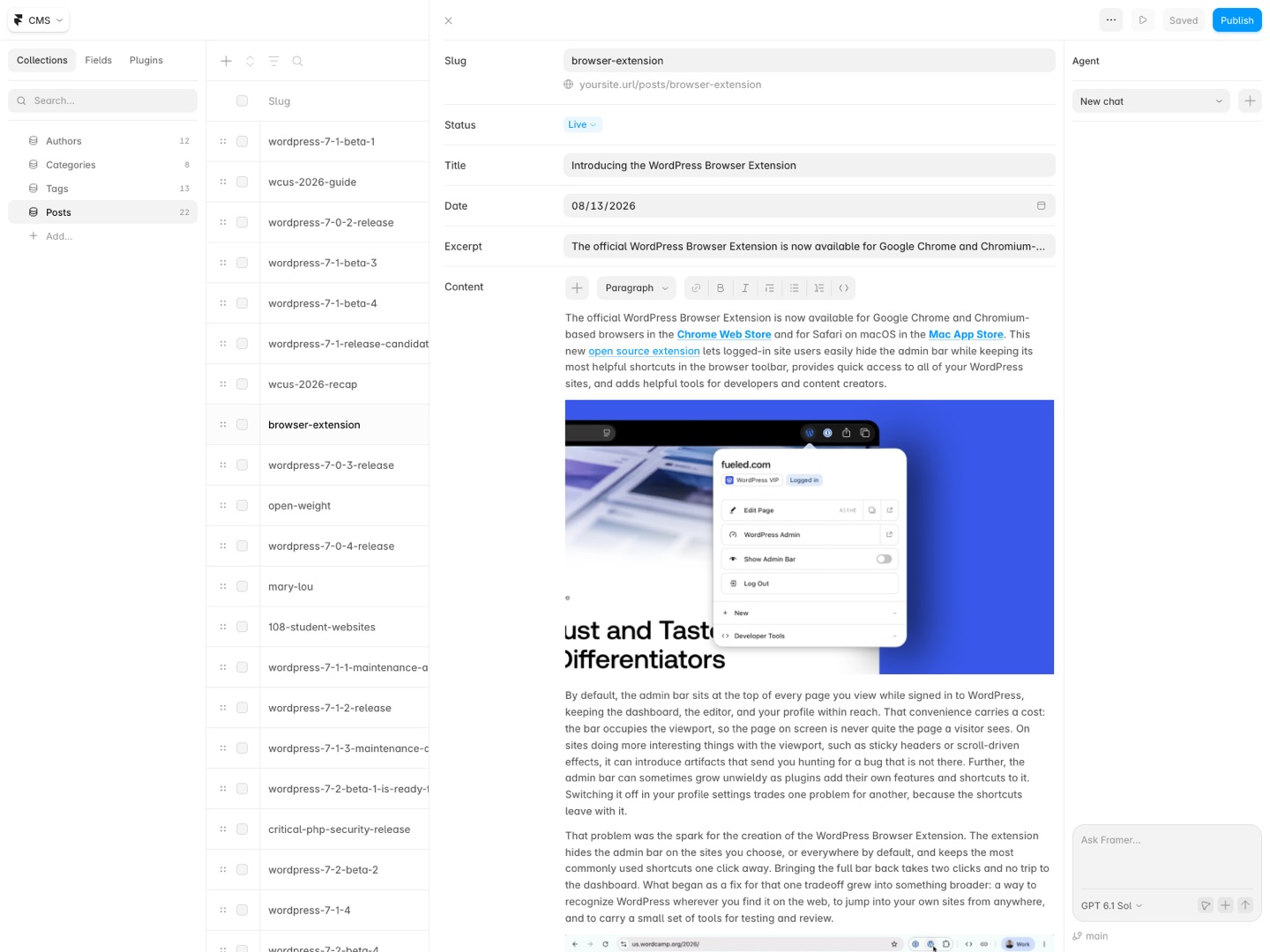
- Click Import N items, then Yes, import. Pressferry creates the collections and fields, copies images, writes authors and categories first and then the posts that point at them.
- Add the redirects. Under Redirects, click Add N redirects to Framer, or Download redirects (CSV) to keep a copy.
Each step is covered field by field in the Pressferry documentation.
Who it's for
A blog with years of posts
A WordPress blog with a few hundred posts is the case copy and paste can't handle. The export file carries every post, its categories, tags and author, and Pressferry can turn the categories into their own collection, each with its own CMS page.
Designers moving a client off WordPress
You rebuild the design in Framer; Pressferry fills the CMS behind it. The client keeps writing in WordPress until launch day, and you run the dry run again before the switch: posts that changed get updated, new ones get added, the rest are skipped.
Sites with custom post types
Case studies, team members, recipes or listings built with a custom post type and ACF fields each go into their own collection, with the ACF text, number, date, link, image and toggle fields as matching Framer fields.
Sites where search traffic matters
Yoast or Rank Math titles and meta descriptions come across as SEO title and SEO description fields you can bind in the CMS page's settings, and the redirect list covers every post whose address changes.
Pressferry or Framer's CSV import
Framer's own CSV Import plugin fills a collection from a spreadsheet. WordPress's built-in export is an XML file, not a spreadsheet, so that route starts with converting the export, then cleaning shortcodes and block markup out of the post bodies, then building the redirect list by hand. For a site with a dozen pages that's a reasonable afternoon. Past that, Pressferry reads the export as it is.
What neither route does: bring over the design. Pages arrive as CMS content, and you lay out each collection once with a CMS page. Page builder layouts (Elementor, Divi, WPBakery), forms, comments, menus and WooCommerce orders stay in WordPress. Pressferry names every post that had one of those in What needs a look, so you know which posts to check.
Limits and requirements
- Reading by address uses the site's public WordPress API: published content only, up to 5,000 items per post type. Some hosts and security plugins block it. The export file works on every site and includes drafts.
- Redirects need a Framer plan that includes them. On a plan without redirects, download the CSV and add them after you upgrade.
- Posts that used plain addresses like
/?p=123get one wildcard redirect in Framer's site settings rather than one each. - The free trial imports the 25 newest posts per run. The dry run covers the whole site.
Pressferry guides
Questions about Pressferry
What does Pressferry do?
Move a WordPress site's posts, pages and custom post types into Framer CMS: categories, tags, authors, images, SEO fields, links and redirects, with a dry run, re-import and undo. Move your WordPress site into Framer CMS without copy and paste. Pressferry brings over posts, pages and custom post types with their categories, tags, authors, images, SEO titles and custom fields. Links between posts point at their new addresses, and every old address gets a redirect so your search rankings come along.
What does Pressferry work with?
Pressferry works in Framer, in the desktop app and in the browser.
How much does Pressferry cost?
$39 a month or $129 a year per seat. $169 once for lifetime access, per seat. Buying for a team? Pick the number of seats at checkout and one license key covers everyone. Billed by Great Work LLC through Stripe, not through Framer. Cancel any time from Manage billing.
Is there a free trial?
Free trial: 5 imports of up to 25 posts over 7 days. Reading your site and the dry run are always free. No card needed.
Where do I install Pressferry?
From the Framer Marketplace. Use the Install button on this page, or search for "Pressferry" there.
Who makes Pressferry?
Great Work LLC, an independent software company. Email hello@greatwork.company with any question about Pressferry and someone will answer.
Can Pressferry migrate WordPress to Framer in one click?
No. Content moves in one import, but the design doesn't: you build the pages in Framer, then Pressferry fills the CMS collections those pages show.
Does the WordPress export file include images?
No, it includes their addresses. During the import Framer copies each image from your WordPress site, with its alt text, so keep WordPress online until the import is done.
Will my Google rankings survive the move?
Pressferry keeps each post's WordPress slug unless another item already uses it, carries over Yoast and Rank Math titles and descriptions, and builds a redirect from every old address that changes. Add those redirects before you point your domain at Framer.
Can I keep writing in WordPress after the first import?
Yes. Read the site or a new export file again and run the dry run. Changed posts update in place, unchanged ones are skipped and new ones are added. Posts deleted in WordPress are not deleted in Framer.
What if the import goes wrong?
Click Undo the last import. It removes the items and fields that import added and its redirects, and puts back the earlier content of items it updated, as long as you use the same browser. Framer doesn't let plugins delete collections, so an empty collection stays until you delete it.
Does Pressferry work with Elementor or Divi sites?
It imports the posts' text, but the page builder layout is removed and the text inside it kept. Those posts are listed under What needs a look so you can check each one.
Can I import into a collection I already made?
Yes. If a collection has the same name, Pressferry adds to it. A field with the same name but a different type is left alone and named in the warnings.
Does one license cover several WordPress sites?
Yes. A seat covers every Framer project and every WordPress site that person migrates, on up to two Framer accounts.
More Framer apps
 Shelfferry
 Tokenmend
 Sightwell
 Stepkiln