



WritwellTable of authorities, pleading paper, captions, live section and exhibit numbers, and defined-term checks for legal briefs in Google Docs
Full name: “Writwell: Table of Authorities & Pleading Paper”
$29 a month or $290 a year per Google account. Free trial: 10 documents or 14 days, whichever comes first. No card needed.
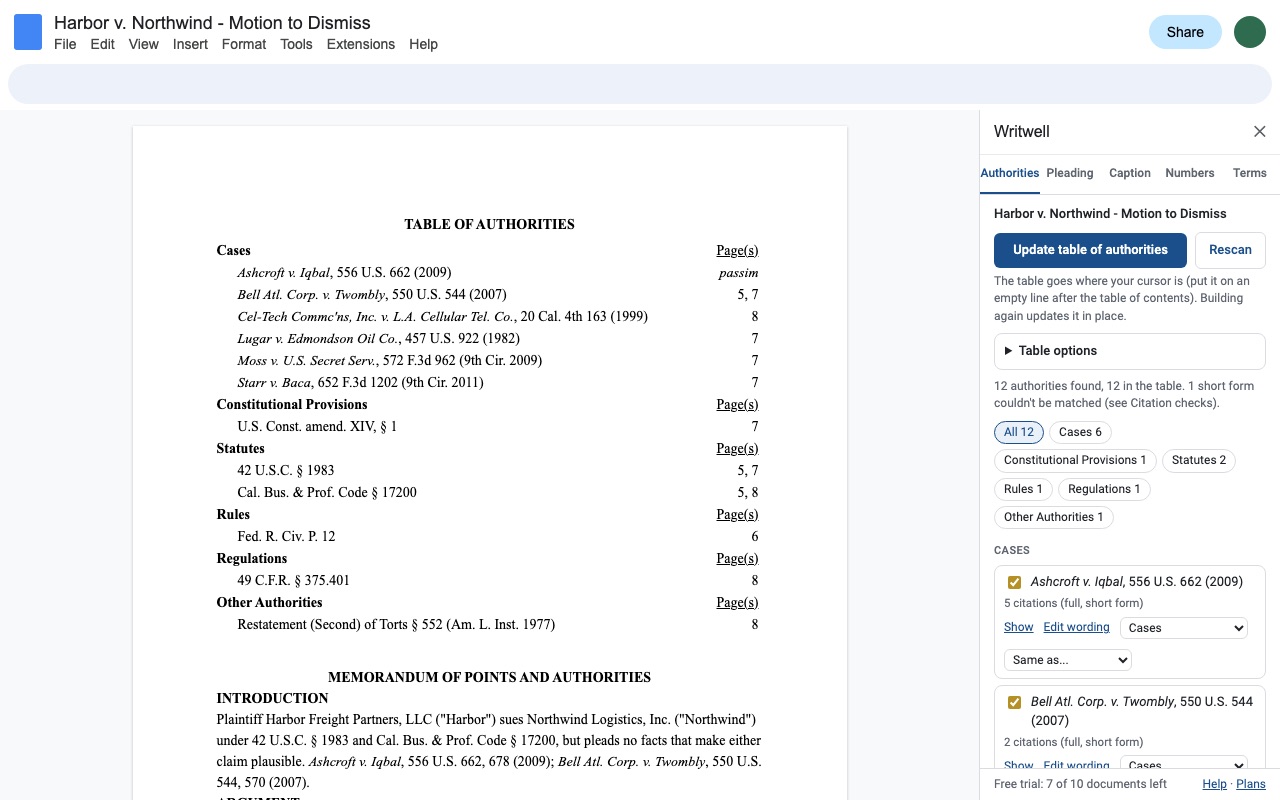
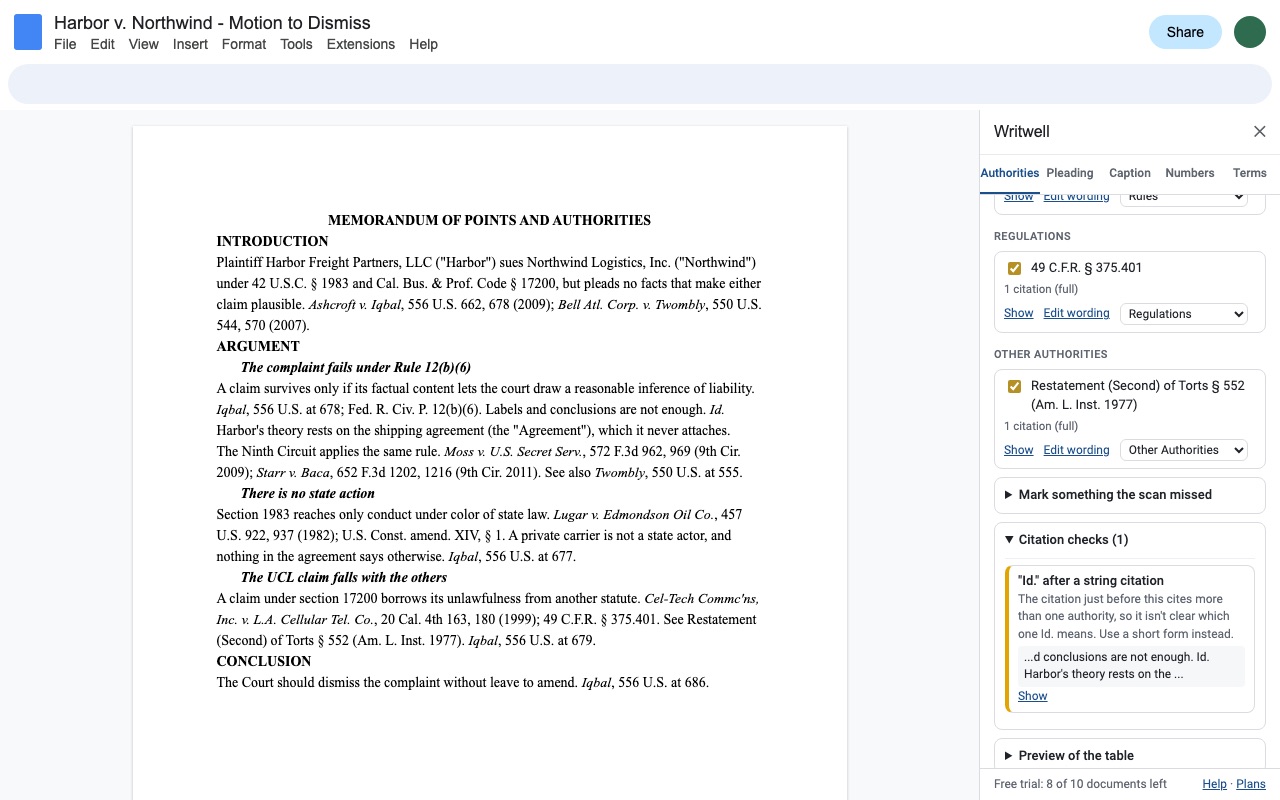
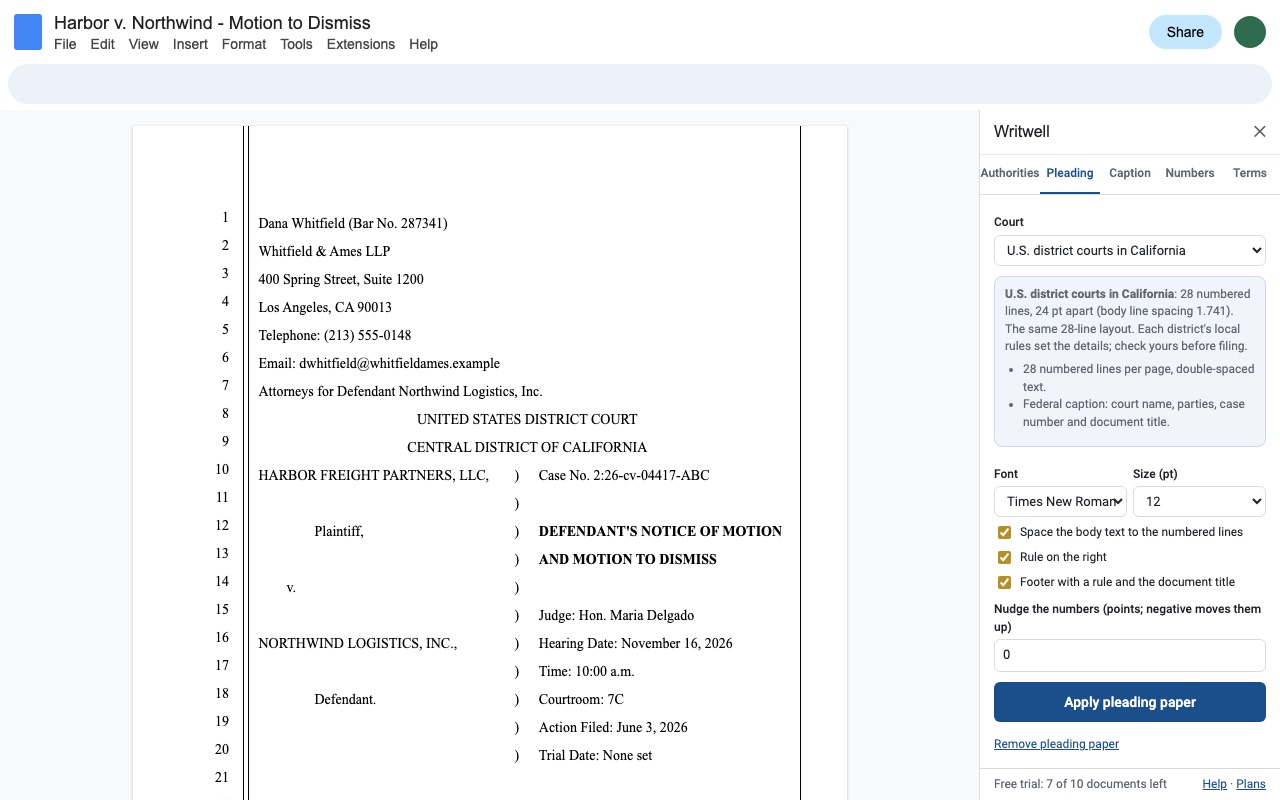
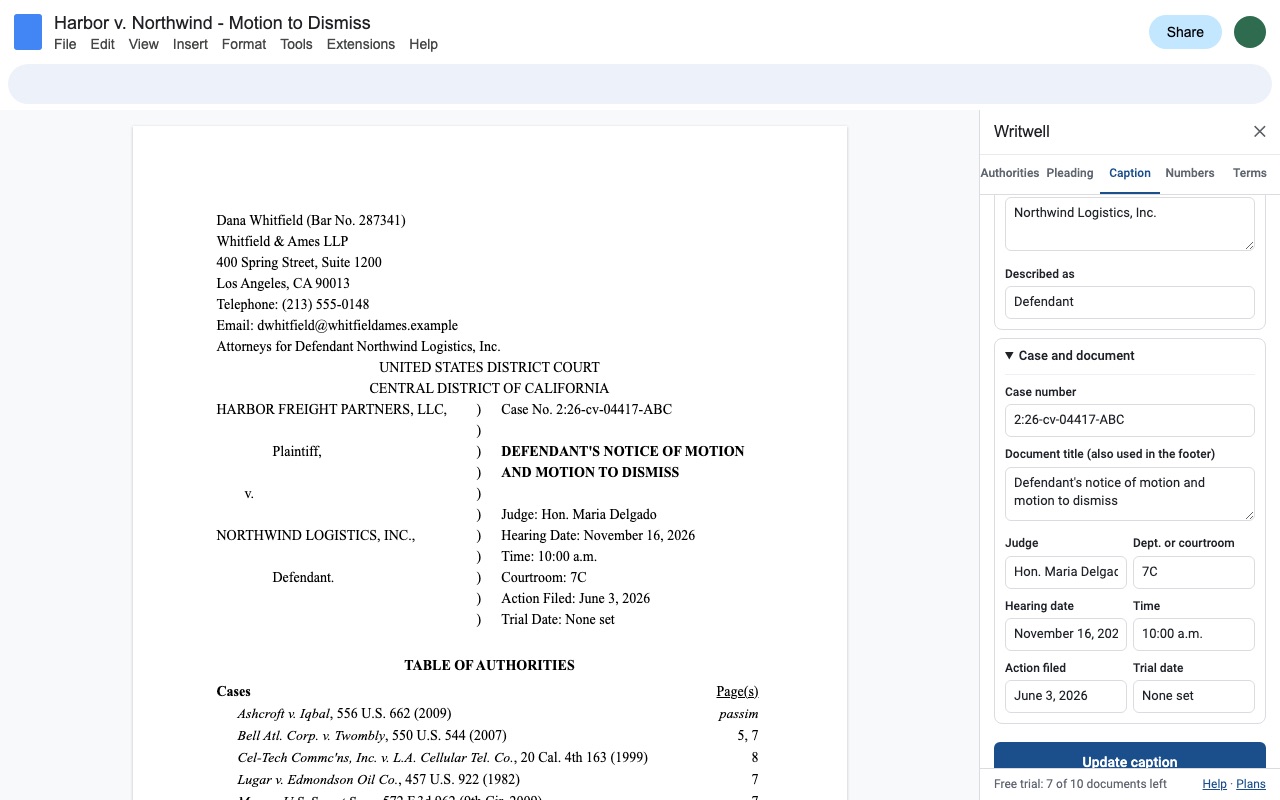
Writwell brings the brief-formatting tools lawyers rely on in Word to Google Docs: a table of authorities with real page numbers, pleading paper, a caption page, section and exhibit numbers with cross-references that follow along, and a defined-terms check. No AI, and your brief never leaves Google.
Table of authorities, built from your citations
What you get
- Table of authorities in Google Docs: cases, constitutional provisions, statutes, rules, regulations and secondary sources, grouped by category, with page numbers read from the document's own PDF layout and "passim" at 5 or more pages
- Detects Bluebook and California-style citations, parallel cites, short forms, Id. and supra, and counts their pages toward the full citation
- Review before it's built: include or leave out, change category, edit the wording, merge duplicates, mark anything the scan missed
- Citation checks: short forms with no full cite, Id. after a string cite, one citation with two case names, case names not italicized
- Pleading paper: 28 (or 26, or custom) numbered lines, double rule, right rule, footer rule with the document title, page setup and line spacing; California Rules of Court 2.104-2.111 preset
- Caption page with attorney block, court title and the parties/case number caption, updated in place
- Outline numbers for headings (I., A., 1.) and exhibit labels, with cross-references ("Section II.B", "Exhibit 3") that update when you renumber
- Defined terms check: used before defined, defined but unused, defined twice, inconsistent capitals
- Only opens the Doc you use it in; no AI, nothing leaves Google
Questions about Writwell
What does Writwell do?
Table of authorities, pleading paper, captions, live section and exhibit numbers, and defined-term checks for legal briefs in Google Docs. Writwell brings the brief-formatting tools lawyers rely on in Word to Google Docs: a table of authorities with real page numbers, pleading paper, a caption page, section and exhibit numbers with cross-references that follow along, and a defined-terms check. No AI, and your brief never leaves Google.
What does Writwell work with?
Writwell works in Google Docs, in any browser.
How much does Writwell cost?
$29 a month or $290 a year per Google account. Team plan: $2900 a year covers everyone at your company or school domain. Billed through Stripe. Cancel any time from Plans and billing in the add-on.
Is there a free trial?
Free trial: 10 documents or 14 days, whichever comes first. No card needed.
How do I get Writwell?
Email hello@greatwork.company and we'll help you get Writwell set up.
Who makes Writwell?
Great Work LLC, an independent software company. Email hello@greatwork.company with any question about Writwell and a person will answer.
More Google Docs apps
 Aloudwell
 Trimwell
 Clefwell
 Tidywell