



PickmarkStatus, dropdown, checkbox and date fields you change on published Confluence pages, with reports that find every page by value.
Full name: “Pickmark: Dropdown, Status and Reports for Confluence”
From $5 a month for up to 10 users. Billed by Atlassian, with a 30-day free trial.
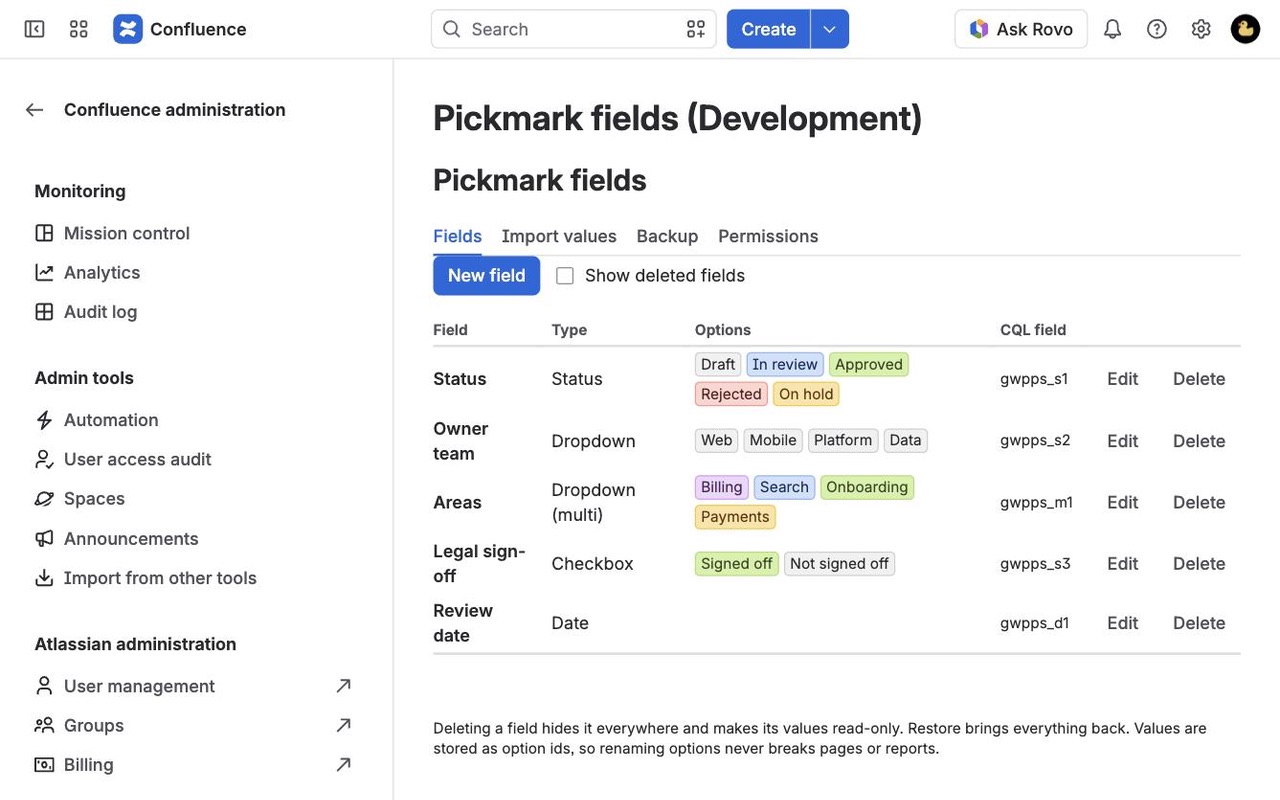
Add colored statuses, dropdowns, checkboxes and dates to any page and change them without edit mode. A report macro lists every page with, say, Status = Approved across spaces, with filters, a chart and CSV.
What you get
Change status and dropdowns in view mode
Click a value on the published page and pick a new one. No edit mode, no new page version, and nobody's unpublished draft gets overwritten.
Find every page by its values
List every page where Status is Approved, or reviews are due in the next 14 days, across spaces. Readers can filter, search and sort.
Edit in the report, export as CSV
Change a value right in the report table and the page updates. Chart any field and copy the whole report as CSV for spreadsheets.
Questions about Pickmark
What does Pickmark do?
Status, dropdown, checkbox and date fields you change on published Confluence pages, with reports that find every page by value. Add colored statuses, dropdowns, checkboxes and dates to any page and change them without edit mode. A report macro lists every page with, say, Status = Approved across spaces, with filters, a chart and CSV.
What does Pickmark work with?
Pickmark works in Confluence Cloud.
How much does Pickmark cost?
$5 a month for up to 10 users, or $50 a year. From 11 users: $0.85 per user a month, with lower rates for larger sites.
Is there a free trial?
Billed by Atlassian, with a 30-day free trial.
How do I get Pickmark?
Email hello@greatwork.company and we'll help you get Pickmark set up.
Can I list every page that has a particular value?
Yes. That is what the Pickmark report does, across one space, several spaces or all spaces, filtered by label, by parent page and by up to 6 conditions.
Can readers filter the report without editing the page?
Yes, with Let readers filter and search turned on.
Will changing a value wipe out someone's unpublished draft?
No. Pickmark never writes the page body, so drafts and page versions are untouched.
Do I need to refresh the page after changing a value?
No. The value updates in place, along with any other copy of that field on the page.
Can a value be set in the editor and shown as plain text?
Yes. Choose Here, in the editor only in the macro settings.
Can I bring my option lists and values over from Data Center?
Yes. Paste option lists into a field with Paste a list, and import values from a Page Properties Report CSV in Import values. Backup copies field definitions between sites.
Who makes Pickmark?
Great Work LLC, an independent software company. Email hello@greatwork.company with any question about Pickmark and a person will answer.
More Confluence apps
 Pollmark
 Milewell
 Pressgate
 Lobbywell