



Stamplark Mail MergePersonal emails from a spreadsheet, each with its own attachment, sent or scheduled from your inbox.
$19 a month or $159 a year per person. Free trial: 50 emails or 14 days, whichever comes first. No card needed. Tests to yourself don't count. No card needed.
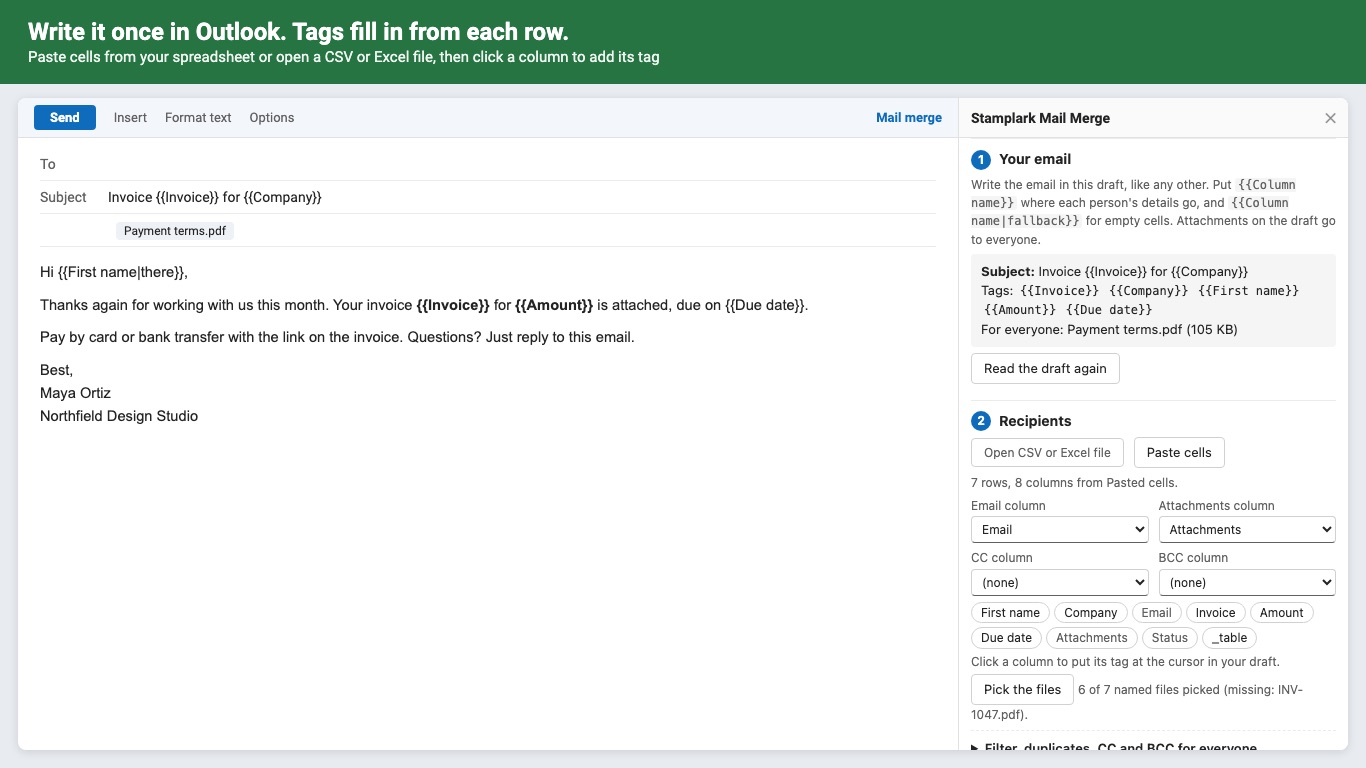
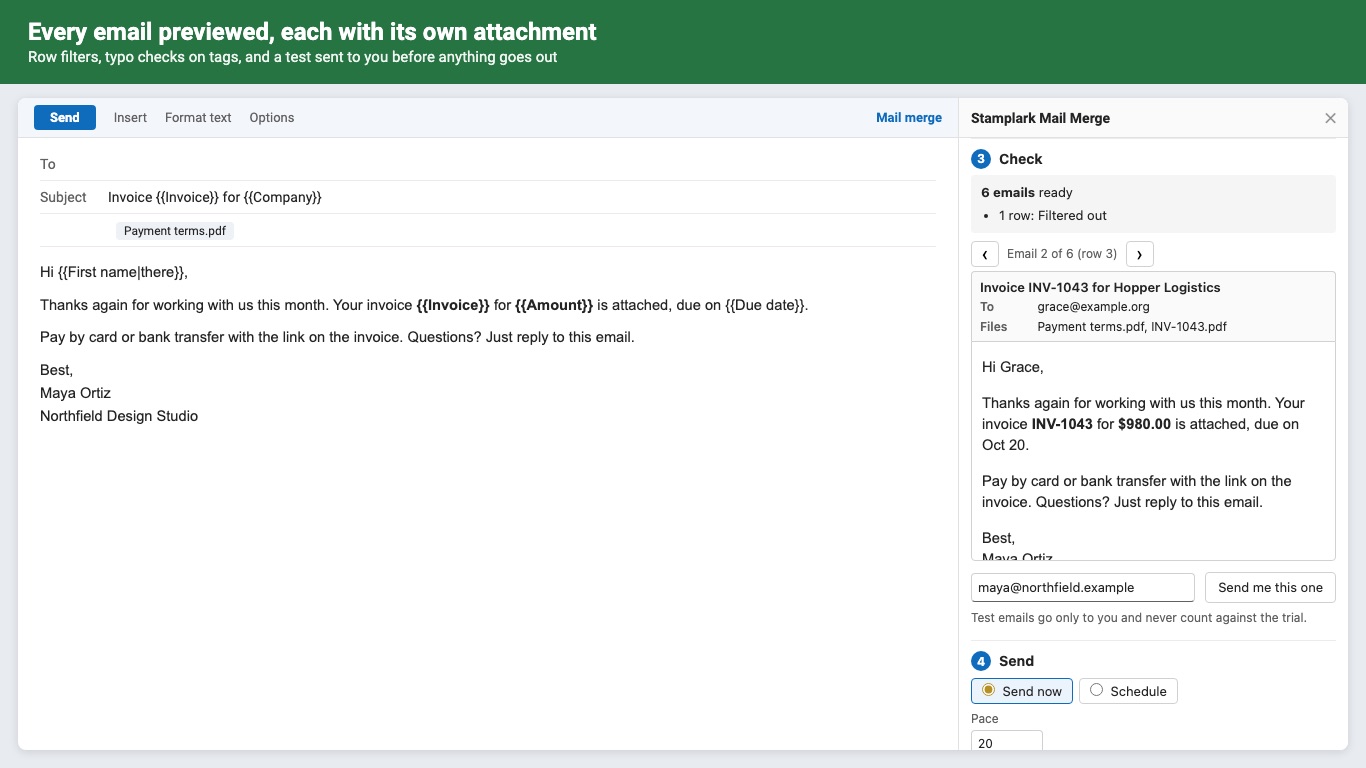
Write one email in Outlook, and Stamplark sends a personal copy to every row of your spreadsheet, from your own mailbox. Invoices, renewals, onboarding packs: anything where each person gets their own name, numbers and file.
A different attachment for each person Add a column with each row's file name (INV-1042.pdf), pick the files once, and every email carries its own. Files attached to the draft go to everyone. A row whose file is missing is held back, never sent without it.
What you get
- Write the email in Outlook, add {{tags}}, and send one personal email per row
- Recipients from a CSV or .xlsx file, or cells pasted from a spreadsheet
- A different attachment for each person, matched by file name
- CC and BCC per row or for everyone
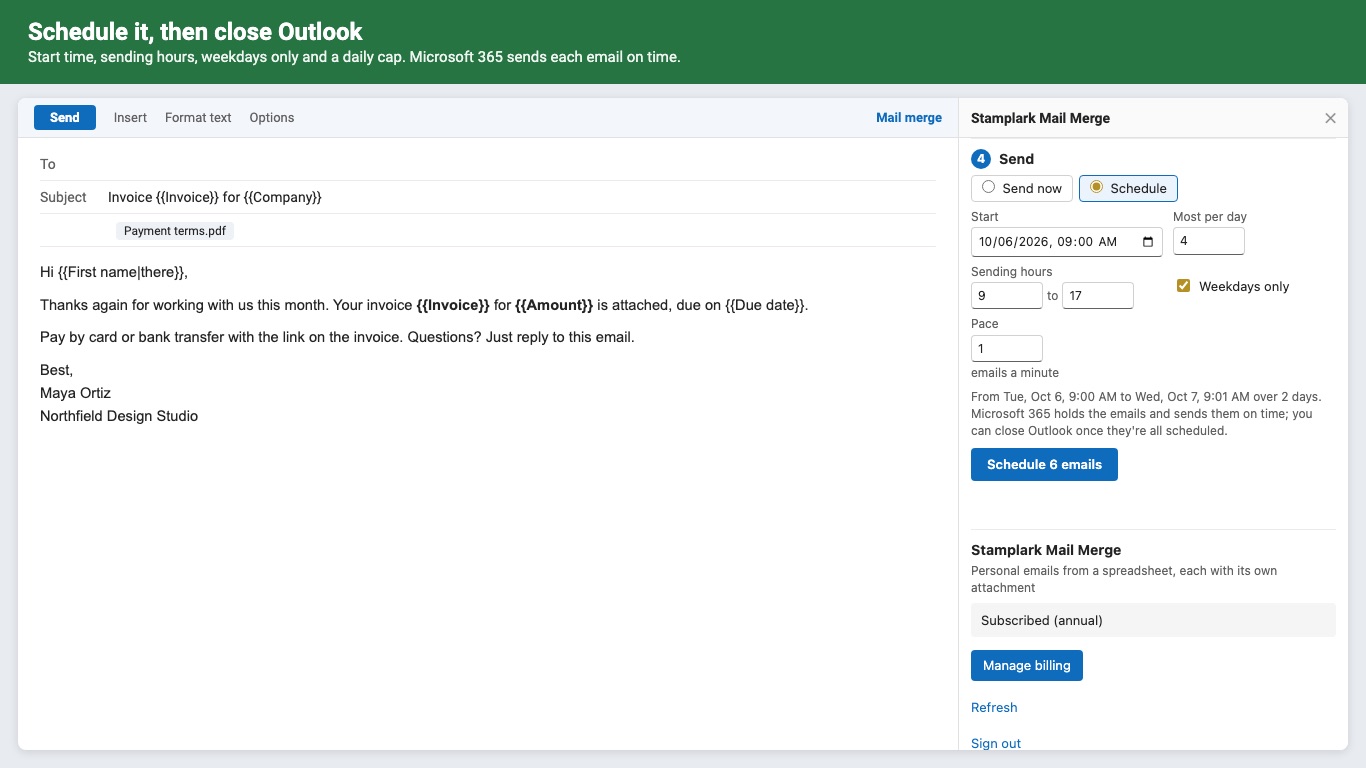
- Schedule: start time, sending hours, weekdays only, a daily cap; Outlook can close once it's scheduled
- Row filters, row ranges, and one combined email for people with several rows
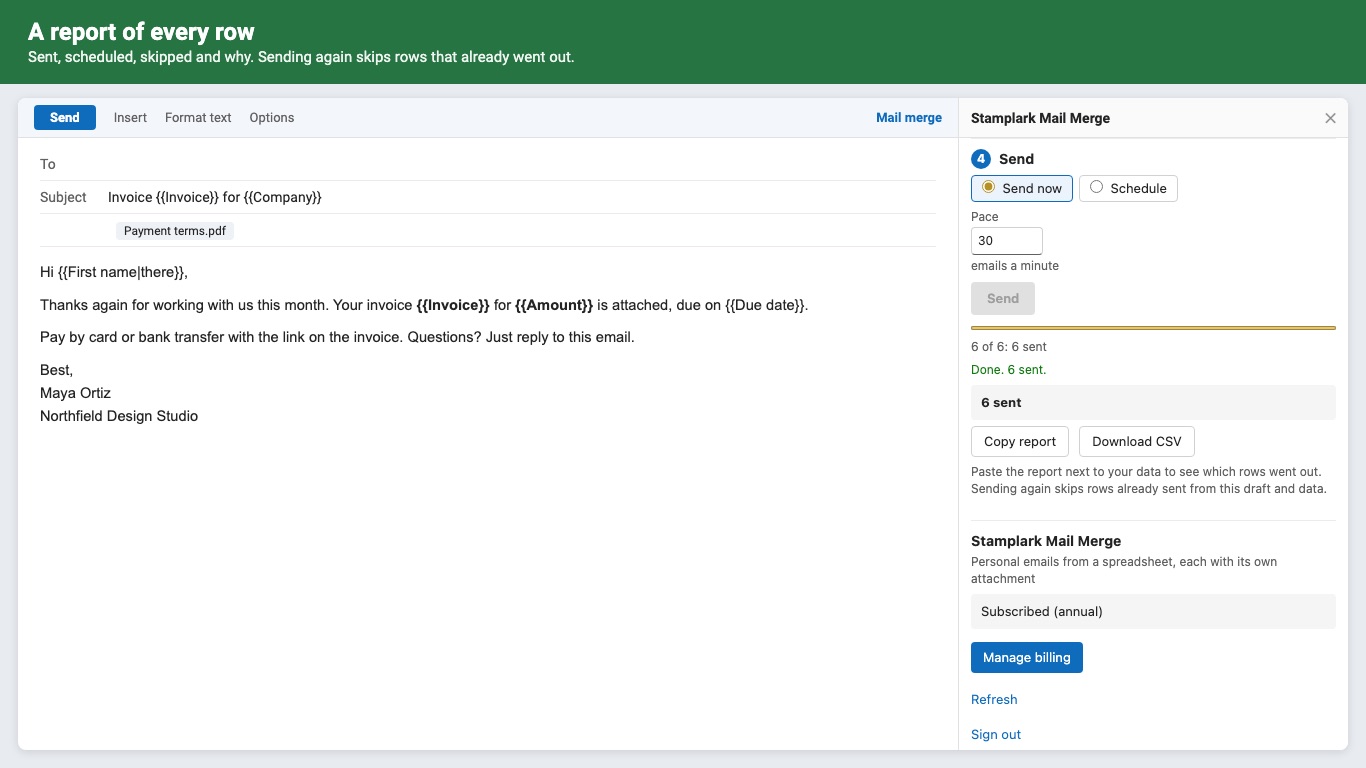
- Re-runs skip rows already sent, so a stopped campaign resumes without duplicates
- A report of every row: sent, scheduled, skipped and why
- Sends from your own mailbox through Microsoft 365; no footer, no tracking pixels
Questions about Stamplark Mail Merge
What does Stamplark Mail Merge do?
Personal emails from a spreadsheet, each with its own attachment, sent or scheduled from your inbox. Write one email in Outlook, and Stamplark sends a personal copy to every row of your spreadsheet, from your own mailbox. Invoices, renewals, onboarding packs: anything where each person gets their own name, numbers and file.
What does Stamplark Mail Merge work with?
Stamplark Mail Merge works in Outlook on the web, Windows and Mac.
How much does Stamplark Mail Merge cost?
$19 a month or $159 a year per person. Teams buy seats at the same price per person. Billed by Great Work LLC through Stripe. Cancel any time from Manage billing.
Is there a free trial?
Free trial: 50 emails or 14 days, whichever comes first. No card needed. Tests to yourself don't count. No card needed.
How do I get Stamplark Mail Merge?
Email hello@greatwork.company and we'll help you get Stamplark Mail Merge set up.
Who makes Stamplark Mail Merge?
Great Work LLC, an independent software company. Email hello@greatwork.company with any question about Stamplark Mail Merge and a person will answer.
More Microsoft Office add-ins
 Tallymist Word Clouds
 Rowkiln Document Merge
 Texwell LaTeX Equations