



Rowkiln Document MergeOne Word file or PDF per spreadsheet row, named from the row: certificates, letters, contracts.
$32 a month or $320 a year per person.
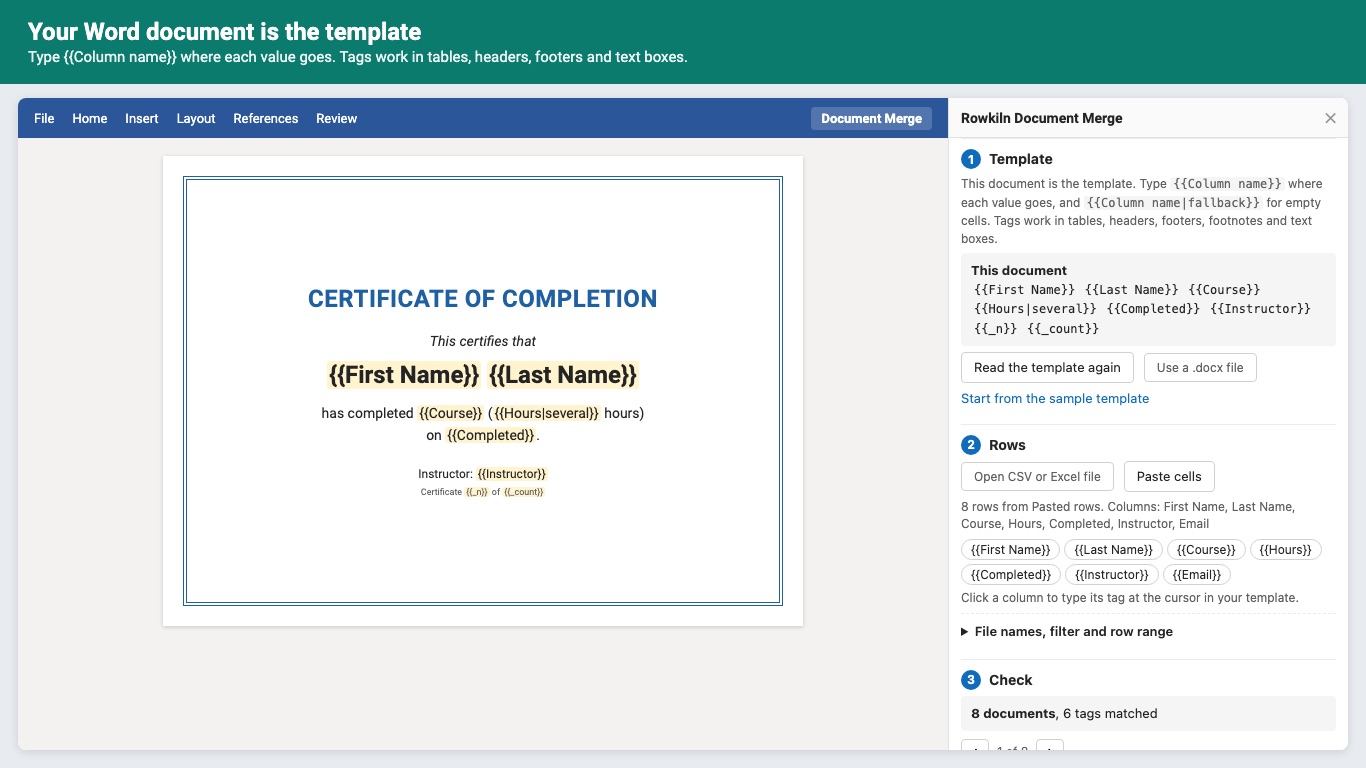
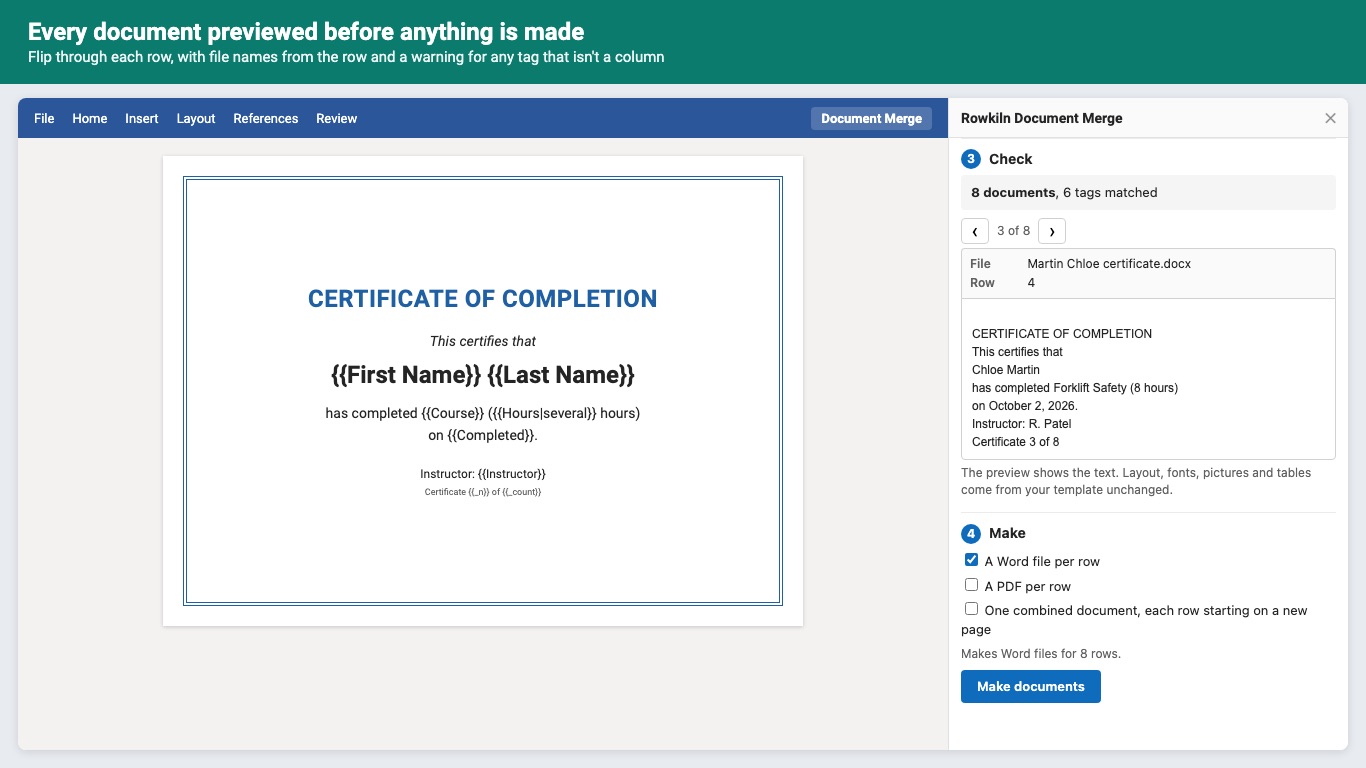
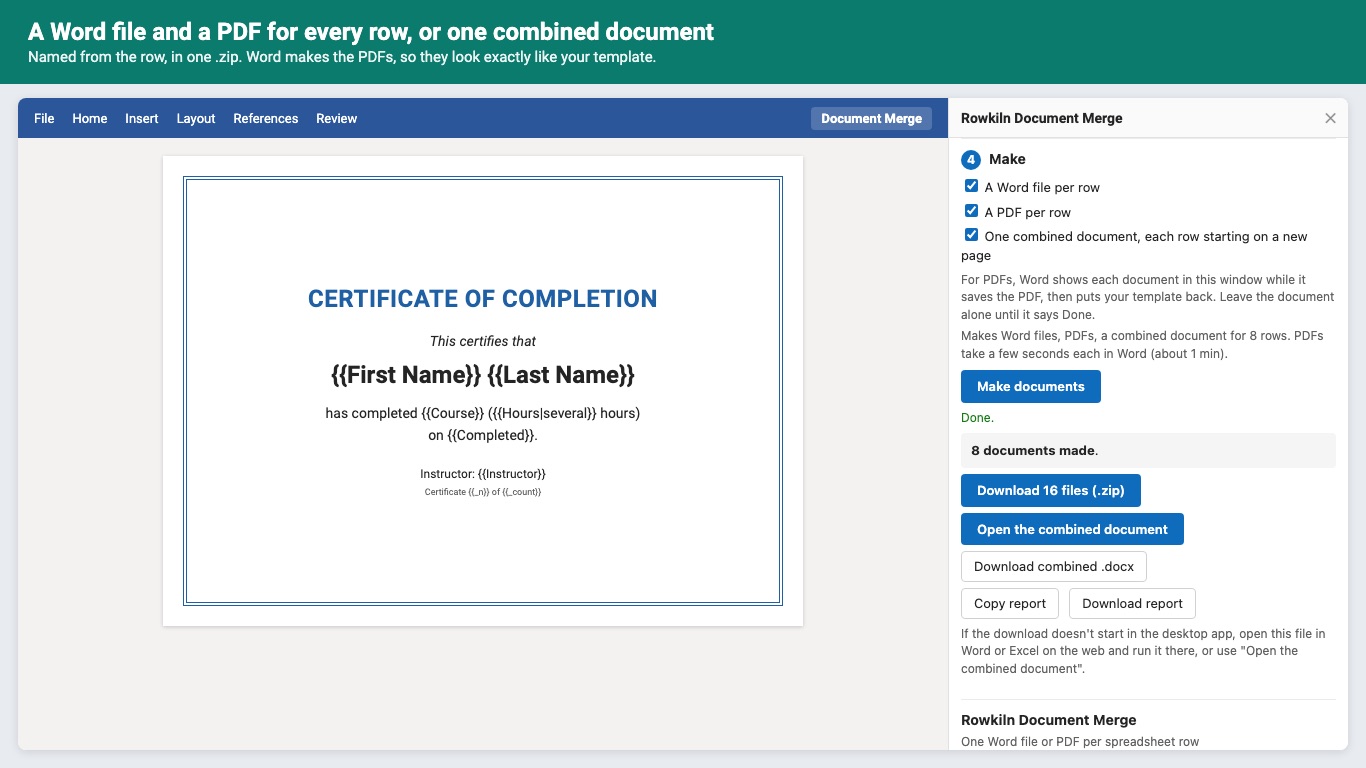
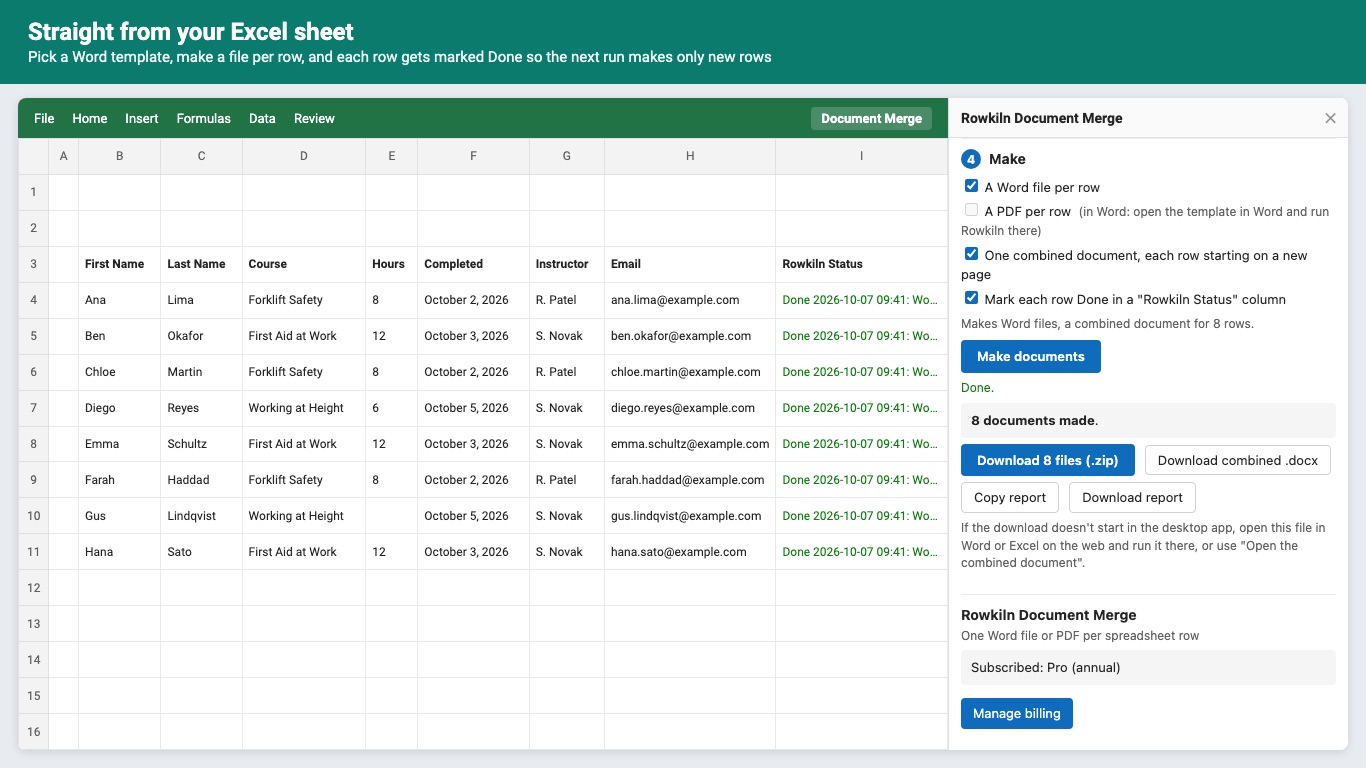
> Additional purchase required: Rowkiln Document Merge comes with a trial of 50 documents or 14 days, whichever comes first. After that it needs a plan, billed by Great Work LLC through Stripe: Standard $12/month or $120/year (100 documents a month), Pro $32/month or $320/year (1,000 documents a month) or Business $84/month or $840/year (unlimited). Teams on Microsoft 365 work or school accounts buy seats at $45/month or $450/year per person, with Pro for each person. > > Rowkiln turns a spreadsheet into documents. Write the document once in Word, put {{Column name}} where each value goes, and Rowkiln makes a Word file and/or a PDF for every row, each named from its row. Certificates for a class of 40, offer letters, contracts: the afternoon that used to go to copy, paste, save as, repeat. > > How it works > - Your Word document is the template. Tags work in tables, headers, footers, footnotes and text boxes, and take the formatting of where you typed them. > - Rows come from the open Excel sheet, a CSV or .xlsx file, or cells you paste. > - Flip through a preview of every document before anything is made. > > What you get > - A Word file per row and a PDF per row, named from the row ({{Last Name}} {{First Name}} certificate), in one .zip. > - Or one combined document with every row on its own pages, with its own headers, footers and page numbers starting at 1. > - PDFs are made by Word itself, so every line of text lands where your template puts it. > > Fewer do-overs > - A tag that isn't a column is flagged before anything is made, with the closest match ("did you mean Due Date?"). > - {{Column|fallback}} for empty cells, plus {{_today}}, {{_row}} and {{_n}} of {{_count}} for numbering. > - Filter rows ("Status is Approved") or pick a row range. > - In Excel, each row is marked Done in a "Rowkiln Status" column, so the next run makes only the new rows. > > Privacy > Templates and rows are read and merged inside the add-in on your computer. They're never uploaded to us or anyone else. Sign-in asks Microsoft only for your name and email address, to keep your trial and plan with your account. > > Limits > PDFs need Word (on the web, Windows or Mac); from Excel you get Word files and the combined document. Pictures that change per row aren't supported yet: pictures in the template are copied into every document. > > Pricing > - Trial: 50 documents or 14 days, whichever comes first. No card needed. Previews and the sample don't count. > - Plans as listed at the top. One row counts once, whatever you make for it. > - Plans renew until you cancel in Manage billing; access lasts to the end of the paid period. > > Get started > On the Home tab in Word or Excel, click Document Merge, then Try the sample. > > Support > Email hello@greatwork.company. A person replies within one business day. (We're the ones with the duck.)
What you get
- One Word file and/or PDF per spreadsheet row, named from the row
- One combined document: every row on its own pages, with its own headers, footers and page numbers
- Your own Word template: {{tags}} work in tables, headers, footers, footnotes and text boxes, and keep their formatting
- Rows from the open Excel sheet, a CSV or .xlsx file, or pasted cells
- Row filters, row ranges and a status column, so re-runs make only new rows
- Everything is made in the add-in on your computer: templates and rows are never uploaded
Questions about Rowkiln Document Merge
What does Rowkiln Document Merge do?
One Word file or PDF per spreadsheet row, named from the row: certificates, letters, contracts.
What does Rowkiln Document Merge work with?
Rowkiln Document Merge works in Office on the web, Windows and Mac.
How much does Rowkiln Document Merge cost?
$32 a month or $320 a year per person. Team plan: $45 a month or $450 a year covers everyone at your company or school domain. Billed by Great Work LLC through Stripe. Cancel any time from Manage billing.
How do I get Rowkiln Document Merge?
Email hello@greatwork.company and we'll help you get Rowkiln Document Merge set up.
Who makes Rowkiln Document Merge?
Great Work LLC, an independent software company. Email hello@greatwork.company with any question about Rowkiln Document Merge and a person will answer.
More Microsoft Office add-ins
 Stamplark Mail Merge
 Texwell LaTeX Equations
 Tallymist Word Clouds