


SpeclarkRedlines, notes and accessibility tags on the canvas that everyone can see, export and update.
Full name: “Speclark: Spec Sheets and Accessibility Annotations”
$19 a month or $199 a year per seat. Free trial: 7 days with 10 runs. No card needed.
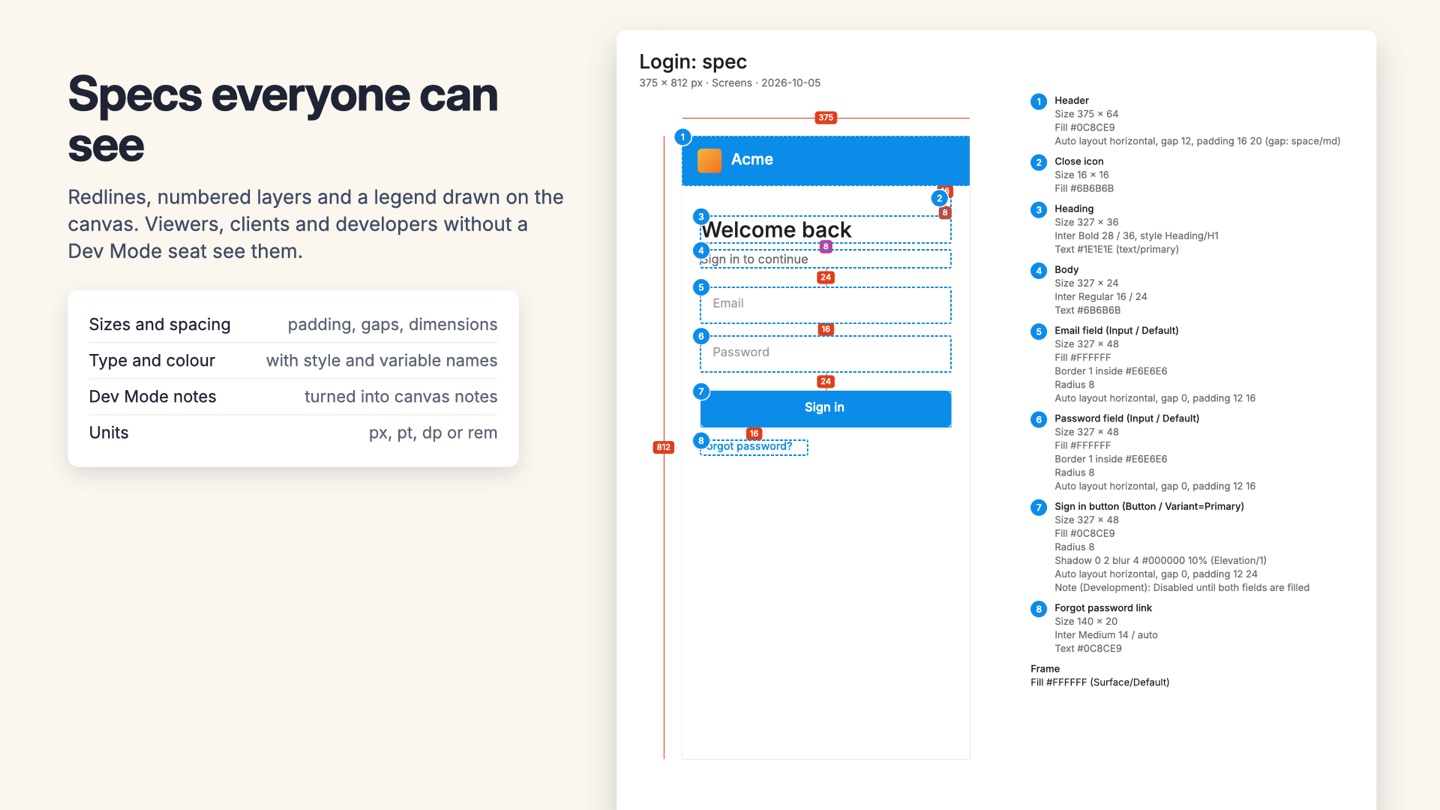
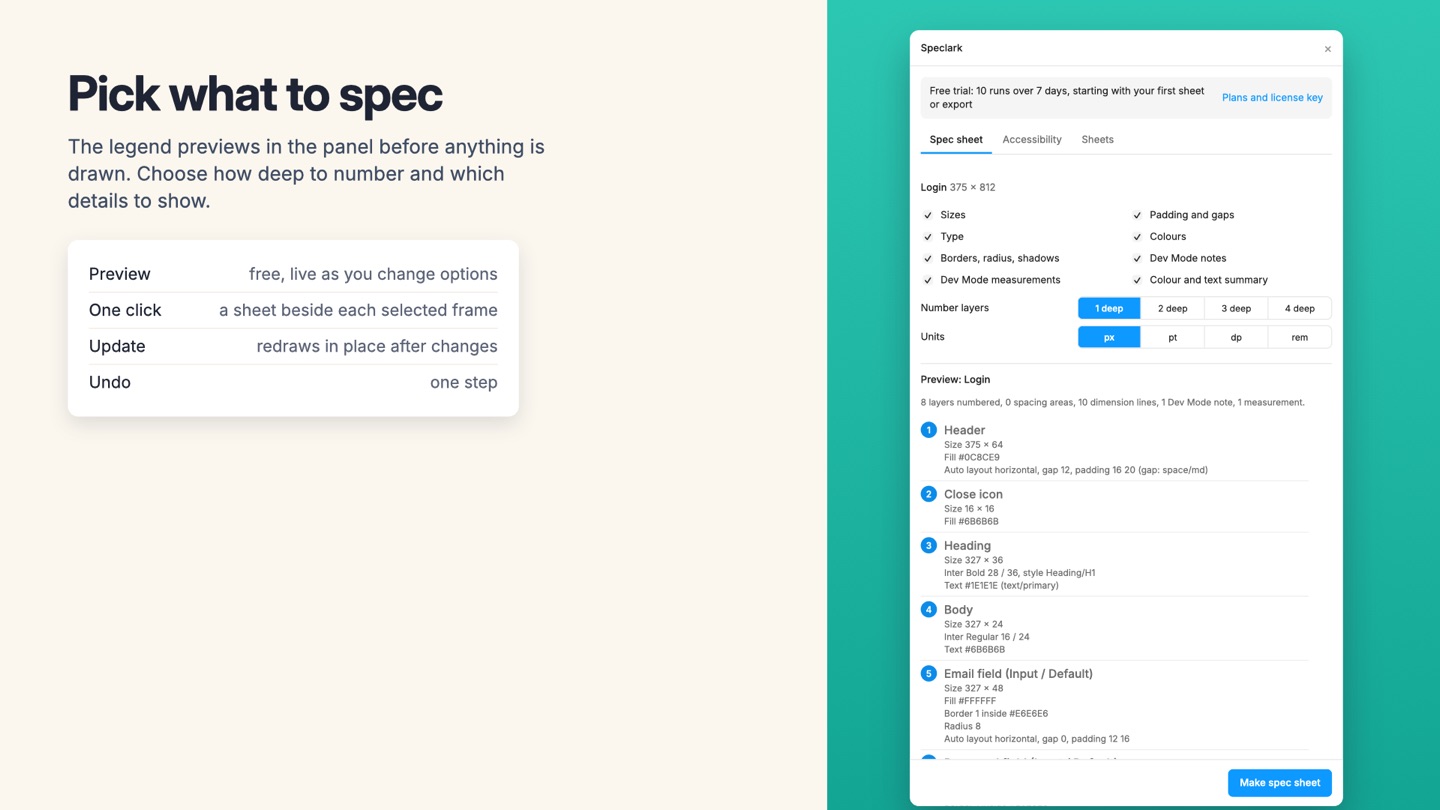
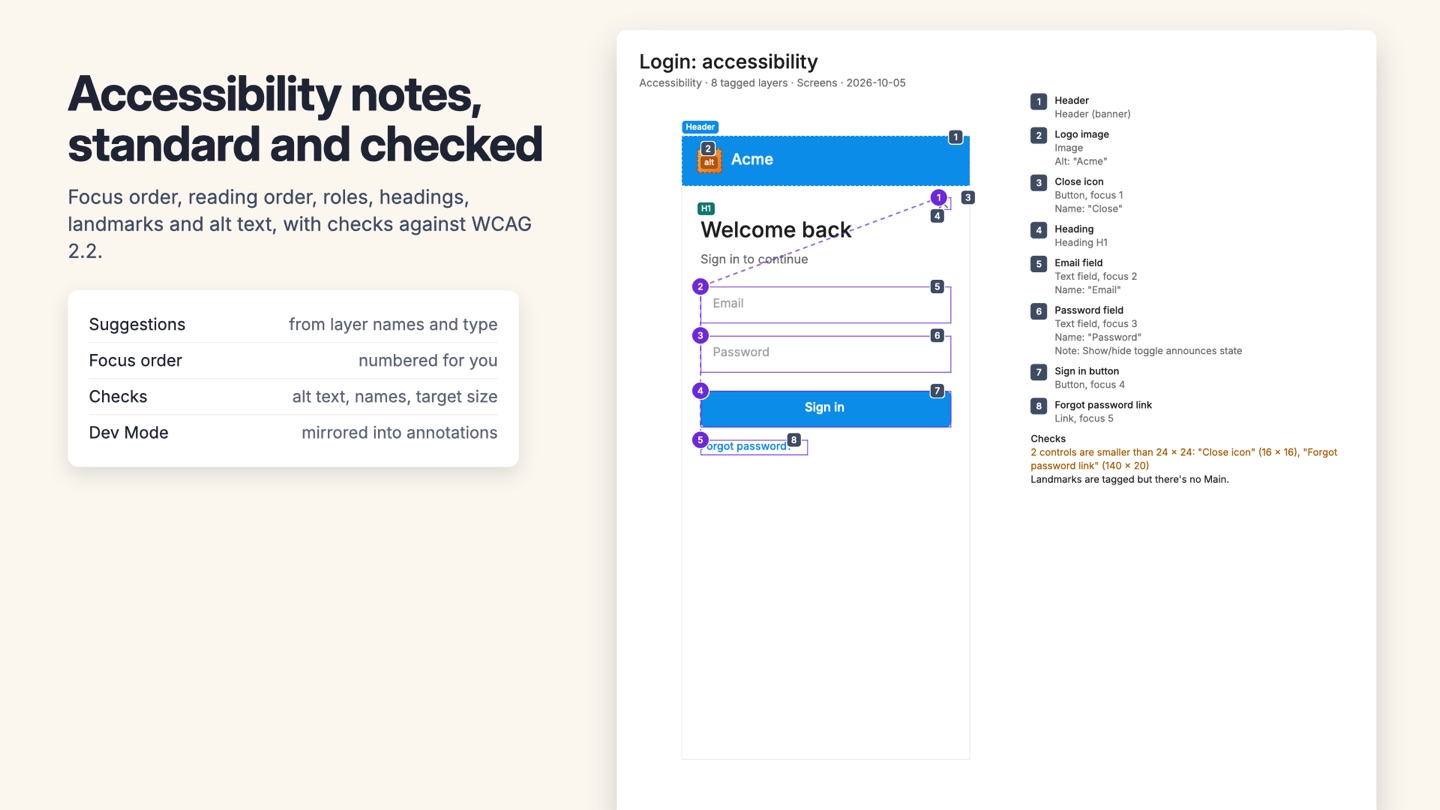
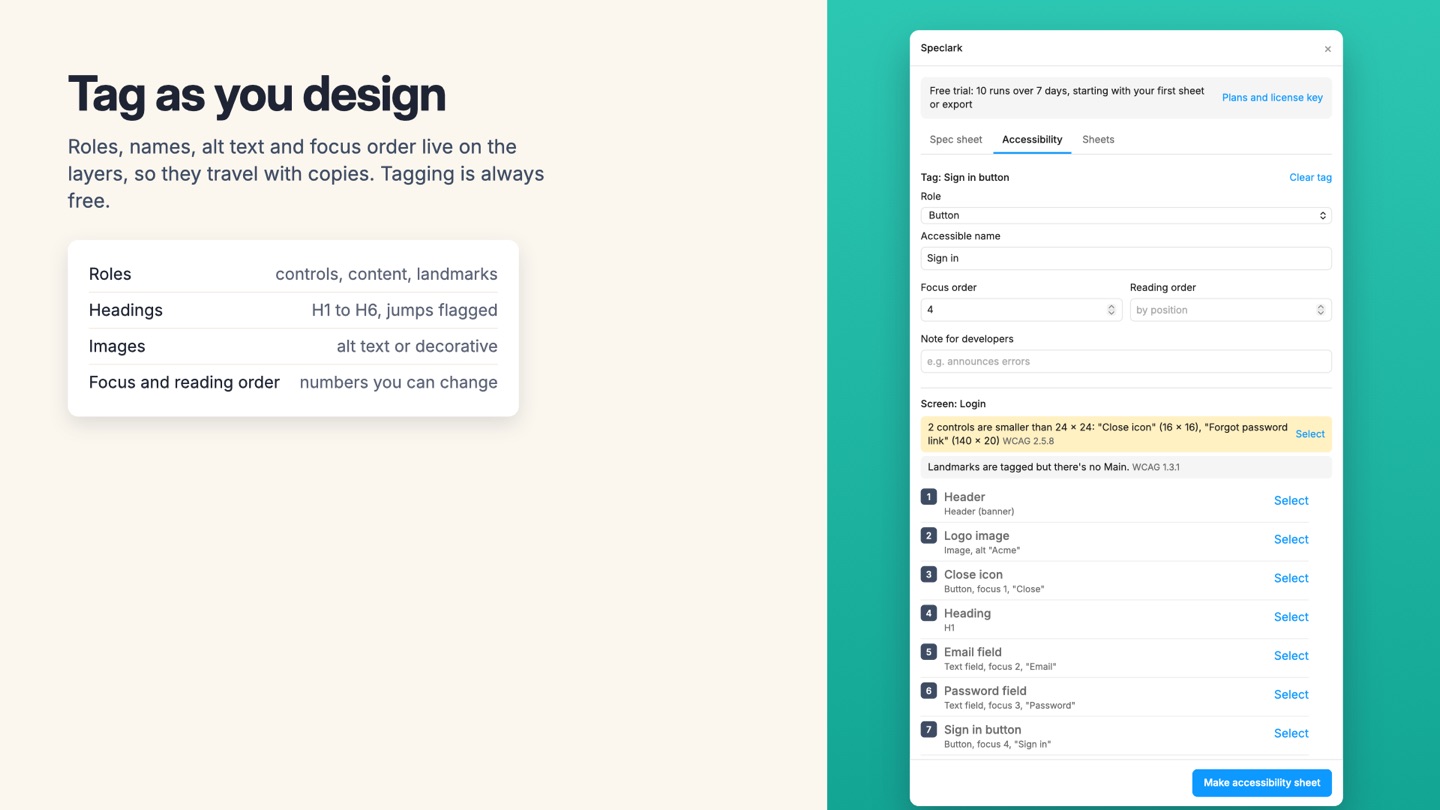
Specs everyone can see. Figma's annotations and measurements only show for Full and Dev seats, and they don't export. Speclark draws spec sheets and accessibility notes beside your frames as ordinary layers, so viewers, clients, QA and outside developers see them, in the file and in a PDF.
What you get
- Spec sheets drawn on the canvas as ordinary layers, so View and Collab seats, clients and Starter-plan guests see them (Figma's own annotations and measurements need a Full or Dev seat)
- Numbered markers on the layers that matter, with a legend: size, font, size and line height, letter spacing, text style, fills and borders with style and variable names, radius, shadows, opacity and auto layout
- Padding and gap areas for auto layout, gaps between layers placed by hand, and the frame's width and height
- Dev Mode annotations and measurements converted into canvas notes and dimension lines, with pinned property values read from the layer
- Colour and text summaries for every frame
- Units in px, pt, dp or rem
- An accessibility kit: roles, accessible names, alt text, heading levels, landmarks, focus order and reading order tagged on layers, suggestions from layer names, automatic focus numbering, and checks against WCAG 2.2 (alt text, names, target size, heading levels, focus order)
- Accessibility sheets with focus order markers joined in order, landmark outlines, heading and alt text tags and a legend in reading order
- Optionally mirrors accessibility tags into Dev Mode annotations in the Accessibility category
- Update redraws a sheet in place after the design changes; the Sheets tab shows which sheets are out of date
- Export sheets as one PDF, vector PDFs, PNGs, or the legend as Markdown or CSV for tickets
- Nothing about your file is uploaded
Questions about Speclark
What does Speclark do?
Redlines, notes and accessibility tags on the canvas that everyone can see, export and update. Specs everyone can see. Figma's annotations and measurements only show for Full and Dev seats, and they don't export. Speclark draws spec sheets and accessibility notes beside your frames as ordinary layers, so viewers, clients, QA and outside developers see them, in the file and in a PDF.
What does Speclark work with?
Speclark works in Figma Design, in the desktop app and in the browser.
How much does Speclark cost?
$19 a month or $199 a year per seat. Buying for a team? Pick the number of seats at checkout and one license key covers everyone. Billed by Great Work LLC through Stripe, not through Figma. Cancel any time from Manage billing.
Is there a free trial?
Free trial: 7 days with 10 runs. No card needed.
How do I get Speclark?
Email hello@greatwork.company and we'll help you get Speclark set up.
Who makes Speclark?
Great Work LLC, an independent software company. Email hello@greatwork.company with any question about Speclark and a person will answer.
More Figma apps
 Tokenmend
 Sheetwell
 Bannerkiln
 Sendkiln