


Sheafwell Save Gmail conversations as PDFs in bulk: one PDF each or one merged PDF, with attachments, to a ZIP or Google Drive
Listed on the Chrome Web Store as “Sheafwell: Save Emails as PDF for Gmail”
2 plans from $15.99 a month per Google account. Free trial: your first 25 emails, every feature, no time limit. No card needed.
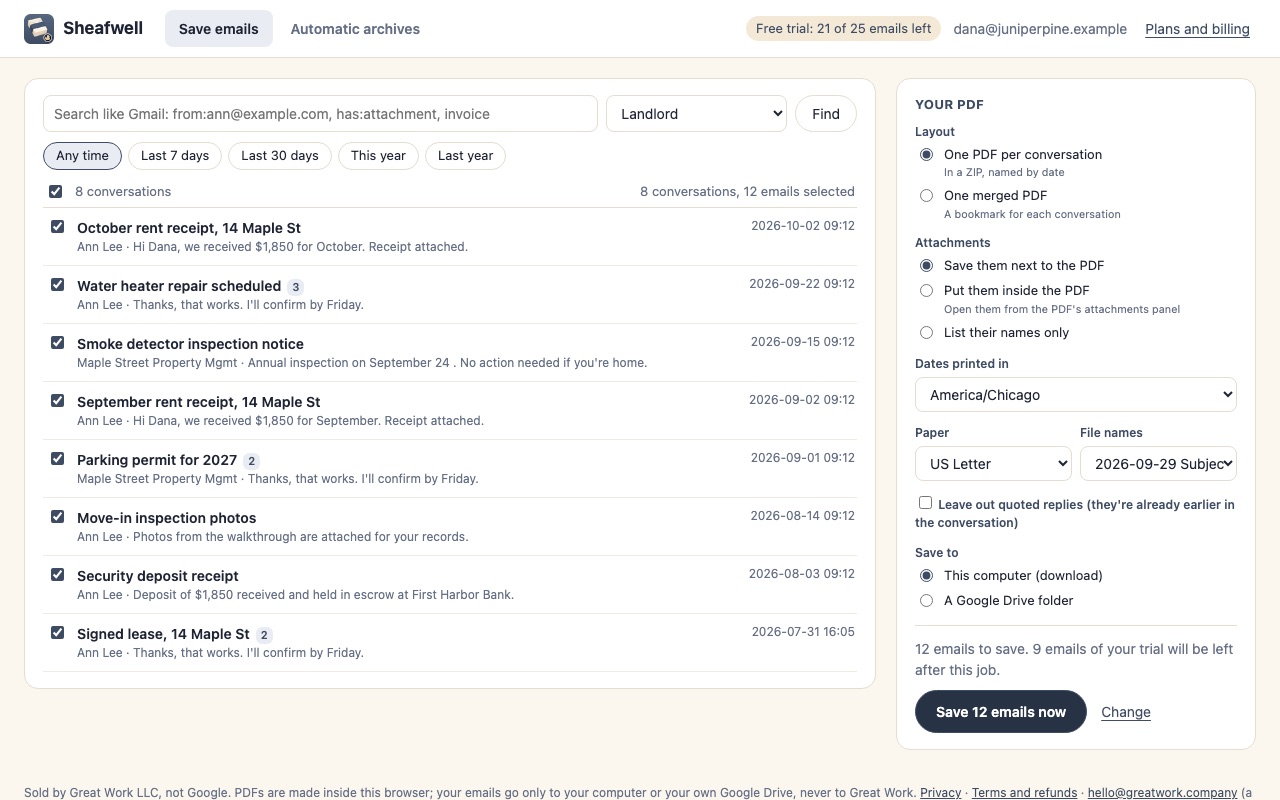
Sheafwell saves Gmail conversations as PDFs, hundreds at a time. Pick them by label, by Gmail search or by hand, choose one PDF per conversation or one merged PDF, and download a ZIP or save straight to Google Drive. The PDFs are made right in your browser, so a 500-conversation job finishes while your coffee's still warm.
What you get
- Save Gmail conversations as PDFs in bulk, chosen by label, search or by hand
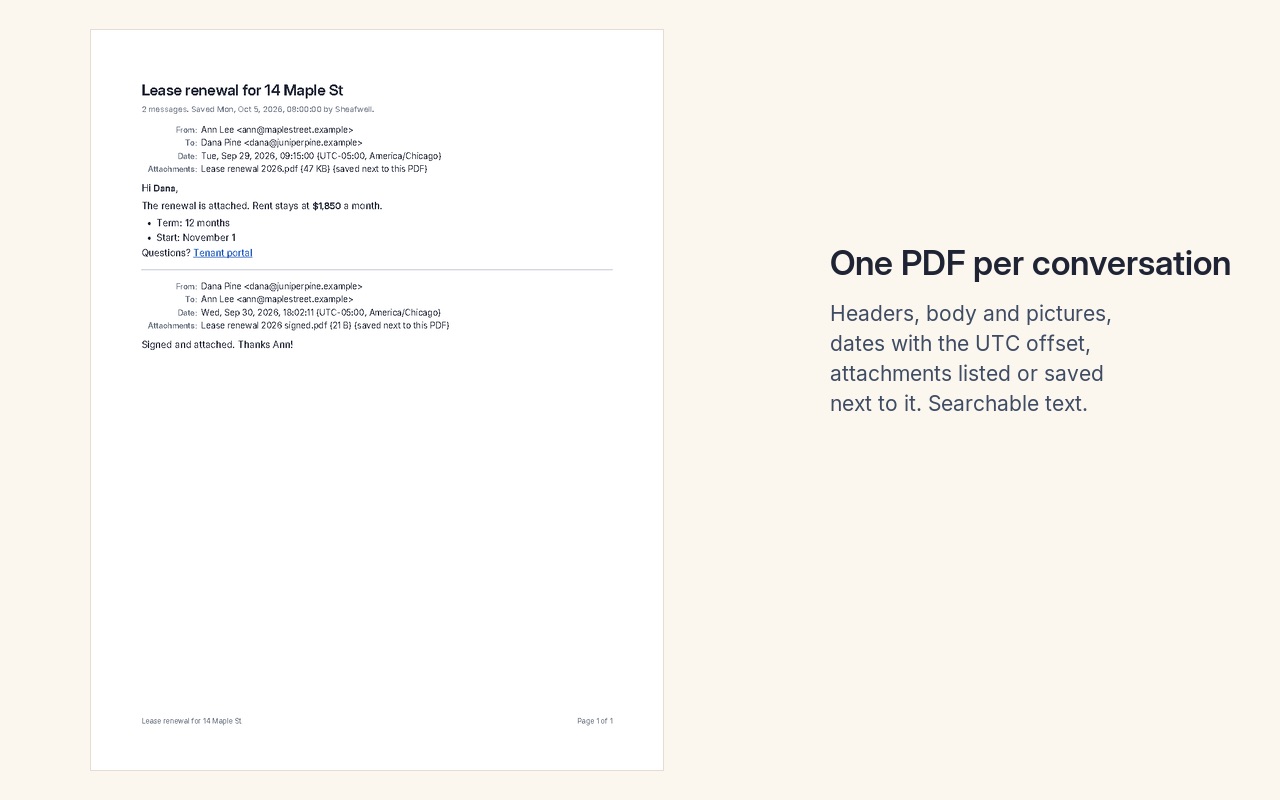
- One PDF per conversation in a ZIP, or one merged PDF with a bookmark for each
- Attachments saved next to each PDF or embedded inside it
- Dates printed in your time zone with the UTC offset
- Save to a Google Drive folder and archive new emails automatically (Plus)
- PDFs are made in your browser; nothing from your email reaches Great Work
How Sheafwell works
- Add Sheafwell to Chrome from the Chrome Web Store and click its toolbar button. It opens in its own tab.
- Sign in with Google. Google asks once to let Sheafwell read your email and create files in your Drive.
- Pick the conversations. Type any Gmail search, choose a label, or click a date range (Last 7 days, Last 30 days, This year, Last year). Listing reads headers only and uses no trial emails. Untick anything you don't want, or tick Select all.
- Choose the PDF. One PDF per conversation (in a ZIP, named by date) or One merged PDF (a bookmark for each conversation). Then choose what happens to attachments, the time zone dates are printed in, US Letter or A4, the file names, and whether to leave out quoted replies.
- Choose where it goes: This computer (download) or A Google Drive folder (Plus plan).
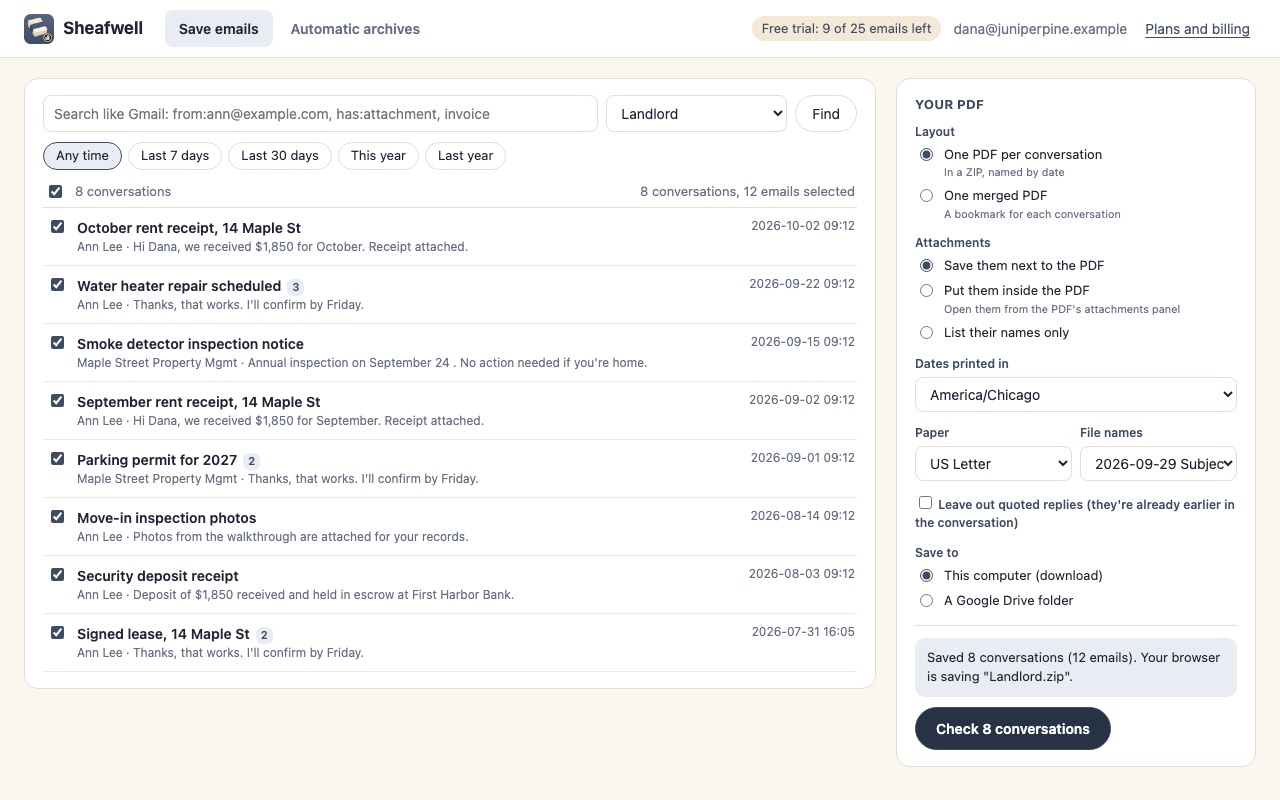
- Click Check N conversations. Sheafwell shows how many emails the job saves and how many trial emails that uses, before any email is read.
- Click Save N emails now. The PDFs are made in your browser, with a progress bar, and download as a ZIP or land in your Drive folder.
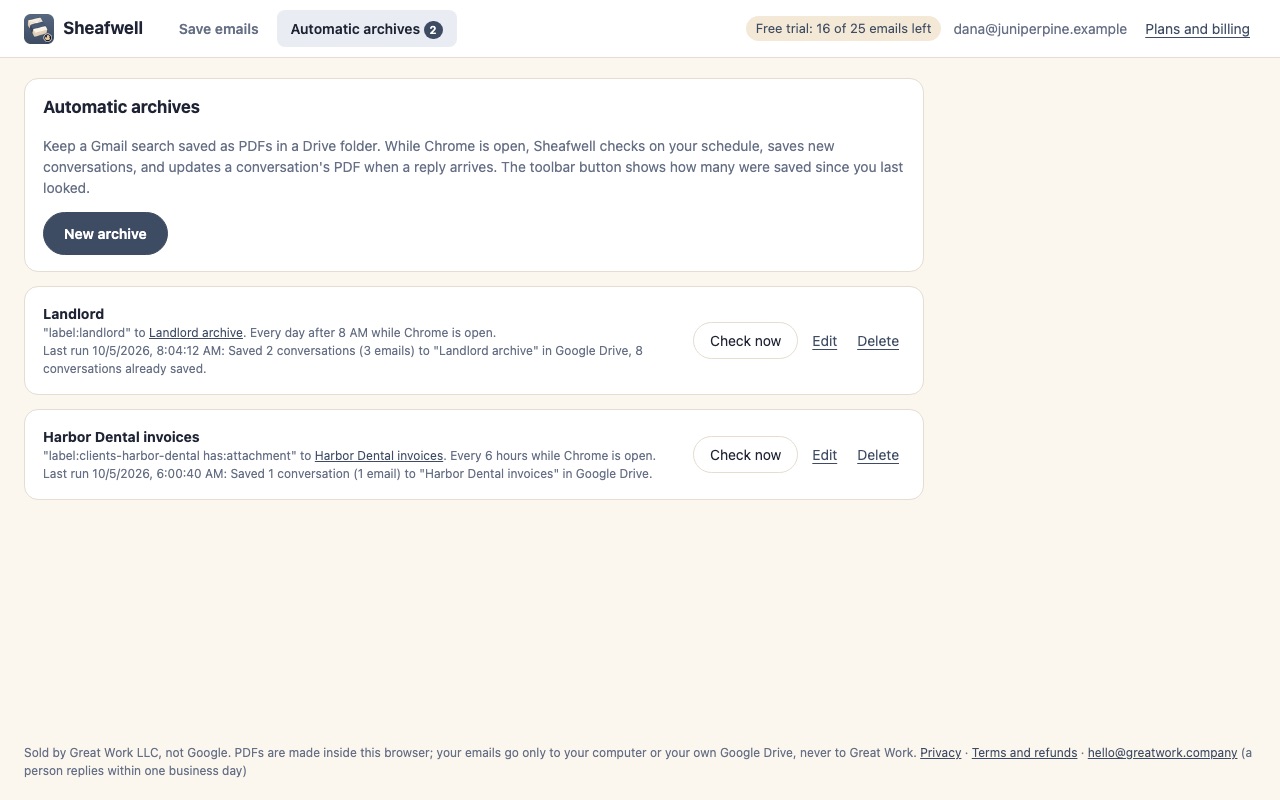
- Set up an automatic archive (Plus) to keep a Gmail search saved as PDFs in a Drive folder every hour, every 6 hours or every day.
Who it's for
Records you have to keep
Contracts, approvals, lease renewals and client instructions often exist only as email threads. One PDF per conversation, named "2026-09-29 Lease renewal.pdf", files neatly next to the rest of a project or a tax year.
Handing over a set of emails
A lawyer, accountant, insurer or HR team asking for "all emails about X" gets one merged PDF with a bookmark for every conversation and every email (with the attachments inside it if you like), instead of a forwarding chain.
Leaving a job or closing an account
Save a label or a whole year of mail as PDFs before an account is shut down, with the From, To, Cc, date and subject printed at the top of every email.
Keeping a client folder current
An automatic archive saves every conversation matching label:clients/acme to a Drive folder and updates a conversation's PDF when a new reply arrives, so a shared folder always has the latest thread.
Sheafwell or Gmail's Print button
Gmail can already make a PDF of one conversation: open it, click Print all, and pick Save as PDF in Chrome's print dialog. For a single thread you need once, that's the quickest route. It saves one conversation per print, leaves the attachments out, and names each file after the page title, so 80 threads means 80 rounds of the dialog and 80 files to rename. Google Takeout exports a whole mailbox, but as an MBOX file for email programs, not as PDFs anyone can open.
Sheafwell is for the jobs in between: a label, a search or a date range, up to 500 conversations at a time, with the attachments saved alongside or inside the PDF, consistent date-first file names, and the time zone you choose printed on every email.
What you need
- Google Chrome on Mac, Windows, Linux or ChromeOS.
- A Google account with Gmail (personal Gmail or Google Workspace).
- The Plus plan for saving to Google Drive and for automatic archives. Downloads work on both plans.
Sheafwell guides
Questions about Sheafwell
What does Sheafwell do?
Save Gmail conversations as PDFs in bulk: one PDF each or one merged PDF, with attachments, to a ZIP or Google Drive. Sheafwell saves Gmail conversations as PDFs, hundreds at a time. Pick them by label, by Gmail search or by hand, choose one PDF per conversation or one merged PDF, and download a ZIP or save straight to Google Drive. The PDFs are made right in your browser, so a 500-conversation job finishes while your coffee's still warm.
What does Sheafwell work with?
Sheafwell works in Google Chrome on Mac, Windows, Linux and ChromeOS.
How much does Sheafwell cost?
Standard: $15.99 a month or $159 a year per Google account. 5,000 emails a month as PDFs, ZIP of PDFs or one merged PDF and Attachments saved or embedded. Plus: $21.99 a month or $219 a year per Google account. 20,000 emails a month as PDFs, Everything in Standard and Save to Google Drive and automatic archiving. Billed by Great Work LLC through Stripe. Cancel any time from Manage billing.
Is there a free trial?
Free trial: your first 25 emails, every feature, no time limit. No card needed.
Where do I install Sheafwell?
From the Chrome Web Store. Use the Install button on this page, or search for "Sheafwell: Save Emails as PDF for Gmail" there.
Who makes Sheafwell?
Great Work LLC, an independent software company. Email hello@greatwork.company with any question about Sheafwell and someone will answer.
How many conversations can one job save?
Up to 500 conversations per job. For more, narrow the search (by date range, for example) and run another job. A ZIP can hold up to 4 GB.
Can I search or copy the text in the PDFs?
Yes, for Latin, Greek and Cyrillic text, which stays selectable and searchable. Other scripts, such as Chinese, Japanese, Arabic or Thai, are kept as images of the text so they still read correctly.
Are pictures in the emails included?
Pictures attached to the email are included. Pictures that load from the web are left out, because fetching them would tell the sender you opened the email.
Why are the dates printed with a UTC offset?
So a printed email matches the original. You pick the time zone, and each date shows it, which matters when an email's timing is the point.
Does Sheafwell change anything in my Gmail?
No. Gmail access is read-only. In Drive it can only see and change the folders and files it created; you can move or share them afterwards.
Can I save Gmail as PDF on an iPhone or Android phone?
Not with Sheafwell. It's a Chrome extension for computers (Mac, Windows, Linux and ChromeOS). On a phone, Gmail's own print option saves one email at a time.
Do automatic archives run when my computer is off?
No. They run while Chrome is open on that computer, and catch up the next time it is. Each run saves up to 50 conversations; the next run continues.

