


CorkprintPrint any sprint, backlog, board or JQL search as index cards, sticky labels or a PDF, with your own card design and QR codes.
Full name: “Corkprint: Print Issue Cards and Labels for Jira”
From $44 a month for up to 10 users. Billed by Atlassian, with a 30-day free trial.
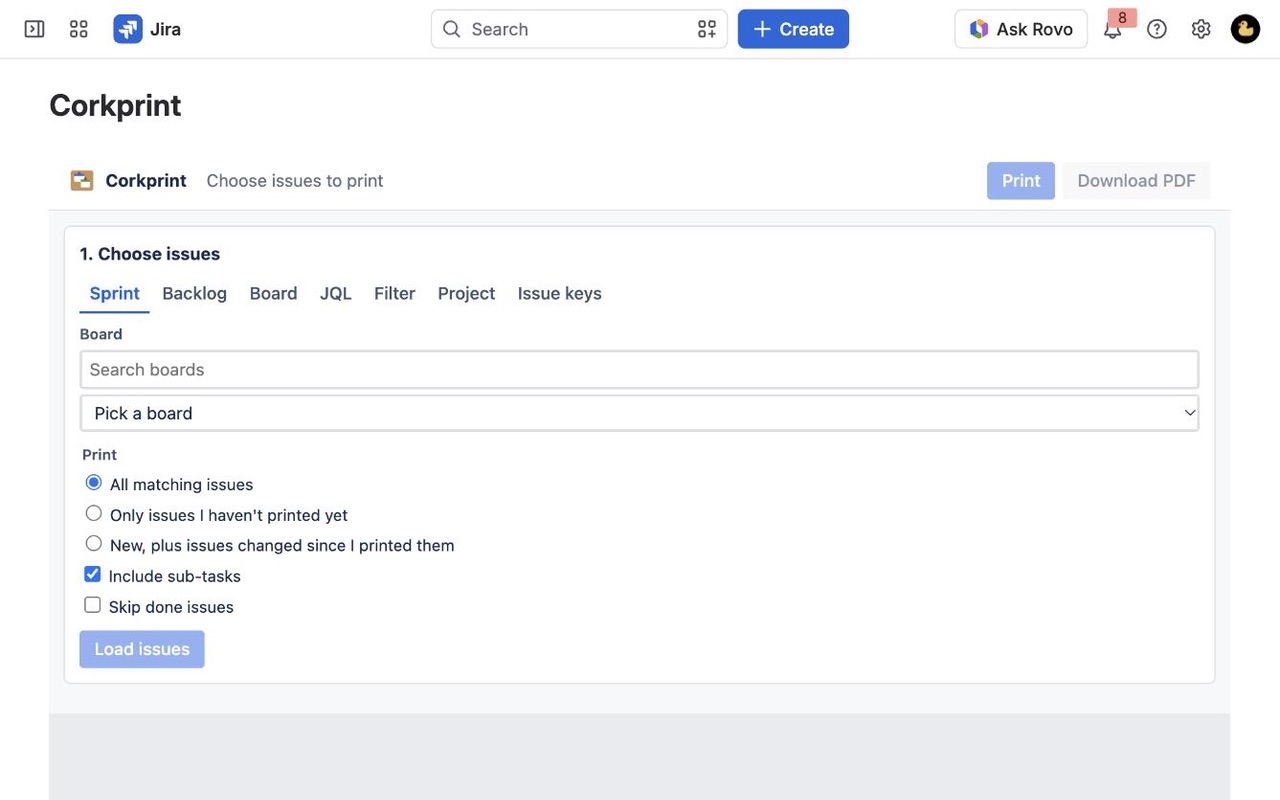
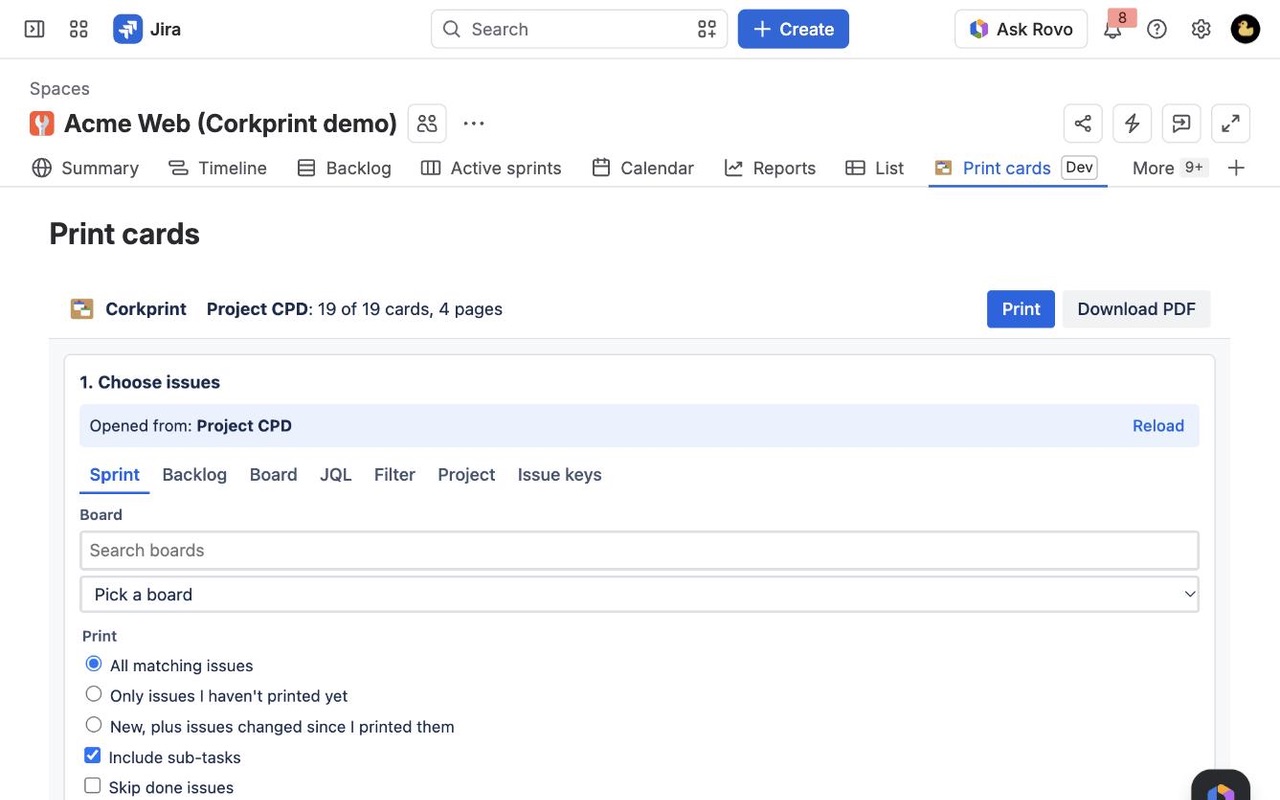
Pick issues from a sprint, backlog, board, filter, JQL or a hand-picked list, design the card by dragging fields, color it by type or priority, add a QR code, then print 1 to 12 per page or on Avery labels. Only reprint what changed.
What you get
Print any sprint, backlog or search
Open it from the sprint, backlog or board menu, from selected issues in search, or use a filter, JQL or pasted keys. Tick the cards you want, or only the ones you haven't printed yet.
Design the card by dragging fields
Any field in any slot, custom fields included. Color by type, priority, epic or label. Add a QR code that opens the issue. Save designs for your whole site.
Paper, labels or PDF
1 to 12 cards per A4 or Letter page with cut marks, Avery label sheets with a start position for half-used sheets, index cards, or a PDF for the print shop.
Questions about Corkprint
What does Corkprint do?
Print any sprint, backlog, board or JQL search as index cards, sticky labels or a PDF, with your own card design and QR codes. Pick issues from a sprint, backlog, board, filter, JQL or a hand-picked list, design the card by dragging fields, color it by type or priority, add a QR code, then print 1 to 12 per page or on Avery labels. Only reprint what changed.
What does Corkprint work with?
Corkprint works in Jira Cloud.
How much does Corkprint cost?
$44 a month for up to 10 users, or $440 a year. From 11 users: $4.40 per user a month, with lower rates for larger sites.
Is there a free trial?
Billed by Atlassian, with a 30-day free trial.
How do I get Corkprint?
Email hello@greatwork.company and we'll help you get Corkprint set up.
Can I print the backlog, or just some of the cards?
Yes. Use Print backlog cards in the backlog menu, or Print cards on issues you select in search. Every issue gets a checkbox before you print, and you can skip sub-tasks and done issues.
Can I fit several cards on one page?
Yes. 1, 2, 4, 6, 8, 9, 10 or 12 cards per A4 or Letter page, with cut marks, or Avery label and index-card stock.
Does the preview match what prints?
Yes. The preview is drawn with the same layout and font measurements as the printout and the PDF, so what you see is what you get.
Can I show more than a few fields on a card?
Yes. Up to 13 fields, including custom fields, story points, epic, sprint, team, estimate and a description excerpt.
Can I style the cards?
Yes. Color by issue type, priority, project, status, epic, label, component or assignee as a top band, side strip, light background or colored border, change any color, and choose borders, corners and text sizes.
Do I have to reprint the whole sprint after a change?
No. Use Only issues I haven't printed yet or New, plus issues changed since I printed them.
Who makes Corkprint?
Great Work LLC, an independent software company. Email hello@greatwork.company with any question about Corkprint and a person will answer.
More Jira apps
 Costkeel
 Configmark
 Cutline
 Cloneyard