



CharterlyLet teams request new Jira projects from approved templates. Approvals, team-managed support and an audit log, no admin rights.
Full name: “Charterly: Project Requests and Templates for Jira”
From $13 a month for up to 10 users. Billed by Atlassian, with a 30-day free trial.
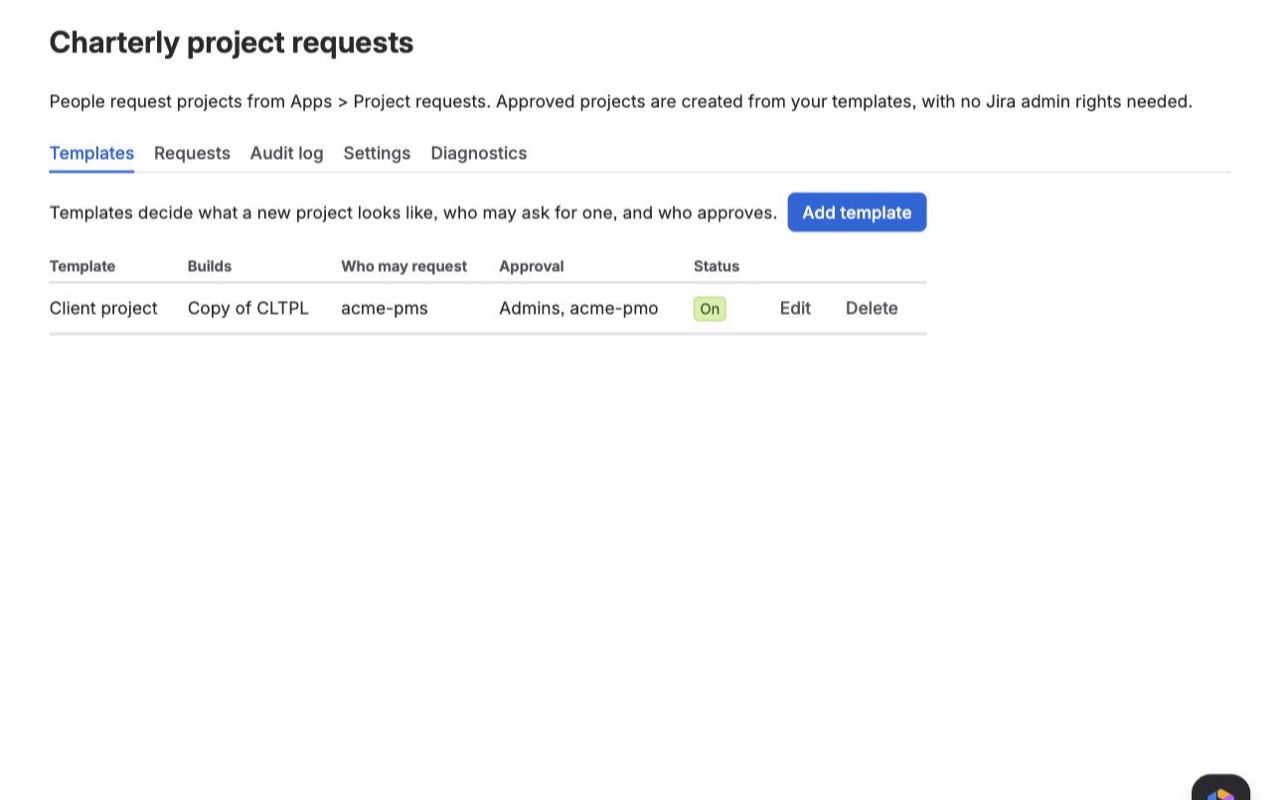
Stop handing out Jira admin rights just so people can start projects. Teams pick a template, request a key, and Charterly creates the project with the right schemes, roles, components and board once an approver says yes.
What you get
Request a project in under a minute
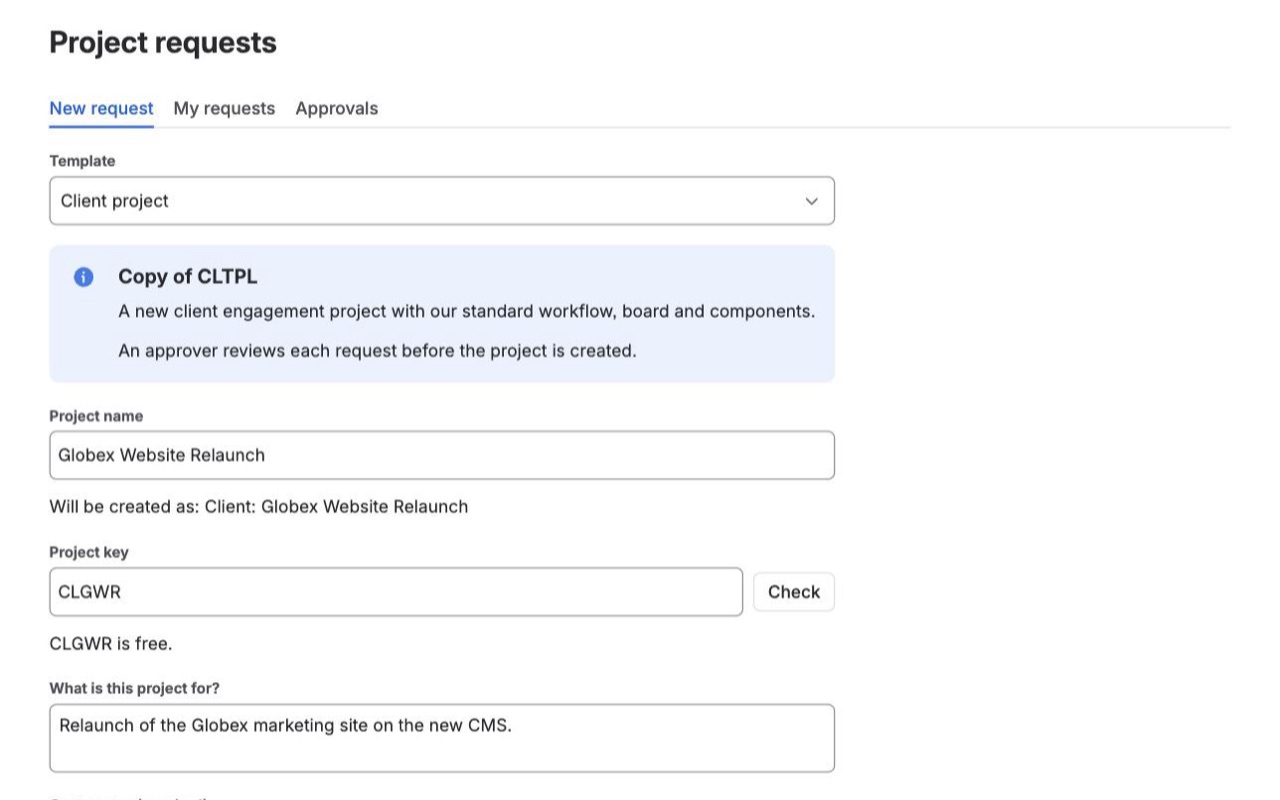
People pick an approved template, name the project and get a checked, available key. Your extra questions go into the project description, so nothing gets lost.
Approve with one click, created right
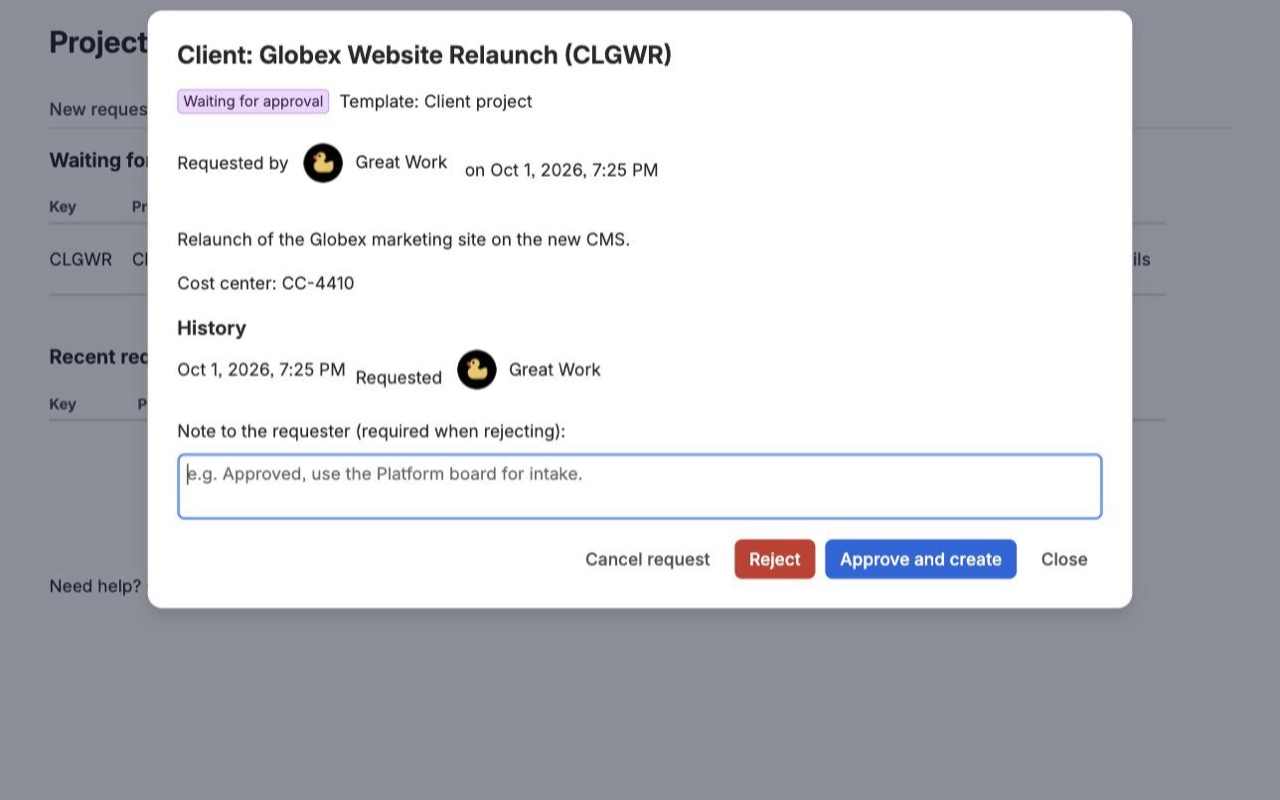
Approvers see who asked, why, and from which template. Approve and the project is built with the template's schemes, roles, components and board. Reject with a reason.
Templates and delegation per team
Copy a company-managed template project or use a Jira template, including team-managed. Choose who may request and who approves each template, with an audit log of everything.
Questions about Charterly
What does Charterly do?
Let teams request new Jira projects from approved templates. Approvals, team-managed support and an audit log, no admin rights. Stop handing out Jira admin rights just so people can start projects. Teams pick a template, request a key, and Charterly creates the project with the right schemes, roles, components and board once an approver says yes.
What does Charterly work with?
Charterly works in Jira Cloud.
How much does Charterly cost?
$13 a month for up to 10 users, or $130 a year. From 11 users: $2.30 per user a month, with lower rates for larger sites.
Is there a free trial?
Billed by Atlassian, with a 30-day free trial.
How do I get Charterly?
Email hello@greatwork.company and we'll help you get Charterly set up.
Does it work with team-managed projects?
Yes. Use a built-in template: team-managed Kanban, team-managed Scrum or the team-managed general service project. The requester can still be made project administrator.
Are the template project's roles applied to the new project?
Yes. With Copy project role members on, every user and group in the template project's roles is added to the same roles in the new project. The setup steps show how many grants were made, and anything Jira refused is listed by role.
What if I change the template project after projects were created?
Charterly reads the template project each time it creates a project. Switch the template project to a different scheme, or change its roles, components or board, and the next project created from it follows. Projects already created are not changed by those edits.
Can different teams have different templates and approvers?
Yes. Each template has its own requester groups, approver groups and named approvers, and approval can be switched off per template.
How will approvers know a request is waiting?
The Approvals tab shows a count and opens first when something is waiting. Turn on tracking issues in Settings and Jira also emails each template's approver groups and named approvers when a request arrives.
What happens if creating a project fails halfway?
The project is kept, the failed step and Jira's reason are shown in Setup steps, and Retry finishes only the remaining steps. A project is never created twice for the same request.
Who makes Charterly?
Great Work LLC, an independent software company. Email hello@greatwork.company with any question about Charterly and a person will answer.
More Jira apps
 Cloneyard
 Changetrail
 Configmark
 Changeleaf