



SlidetickTimers that run while you present in Google Slides, plus progress bars, per-slide time budgets and auto-advance times
Full name: “Slidetick: Slide Timers and Progress Bars”
$12.99 a month or $129 a year per Google account. Free trial: 15 uses or 14 days, whichever comes first. No card needed.
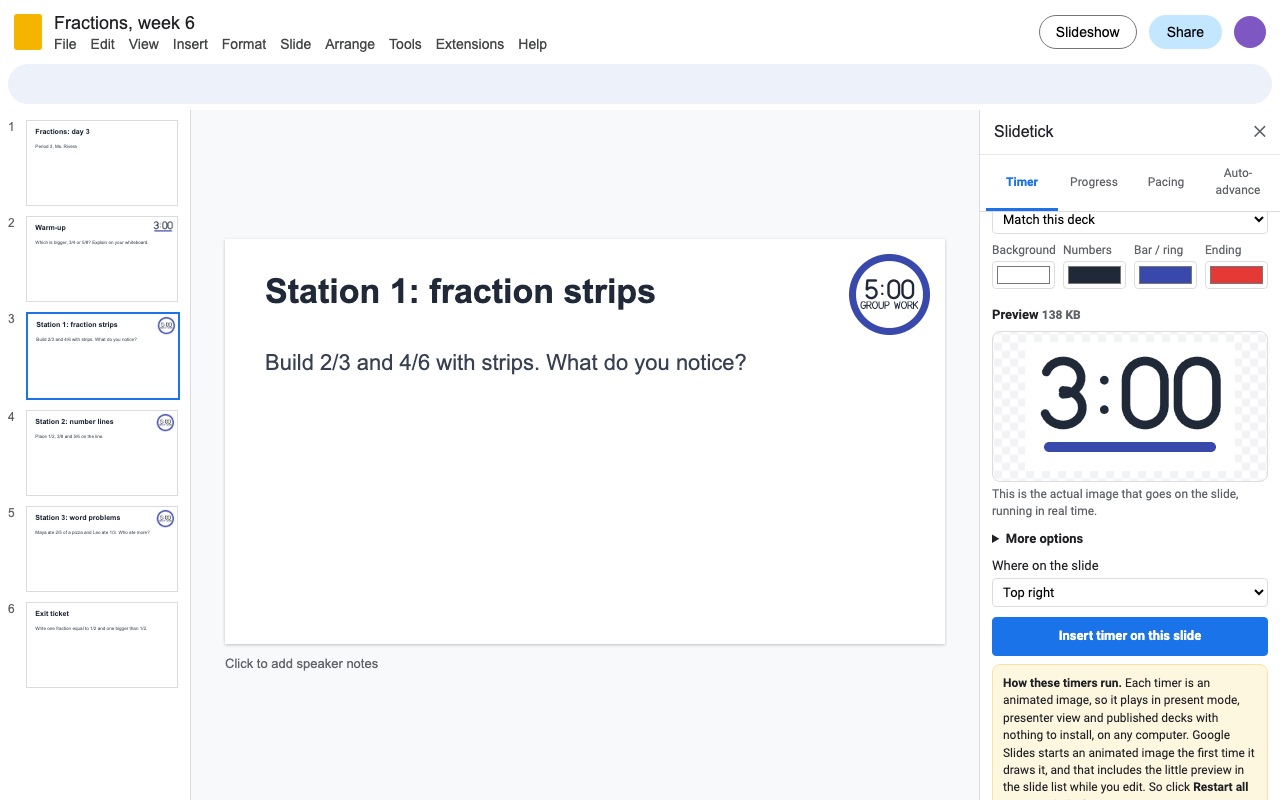
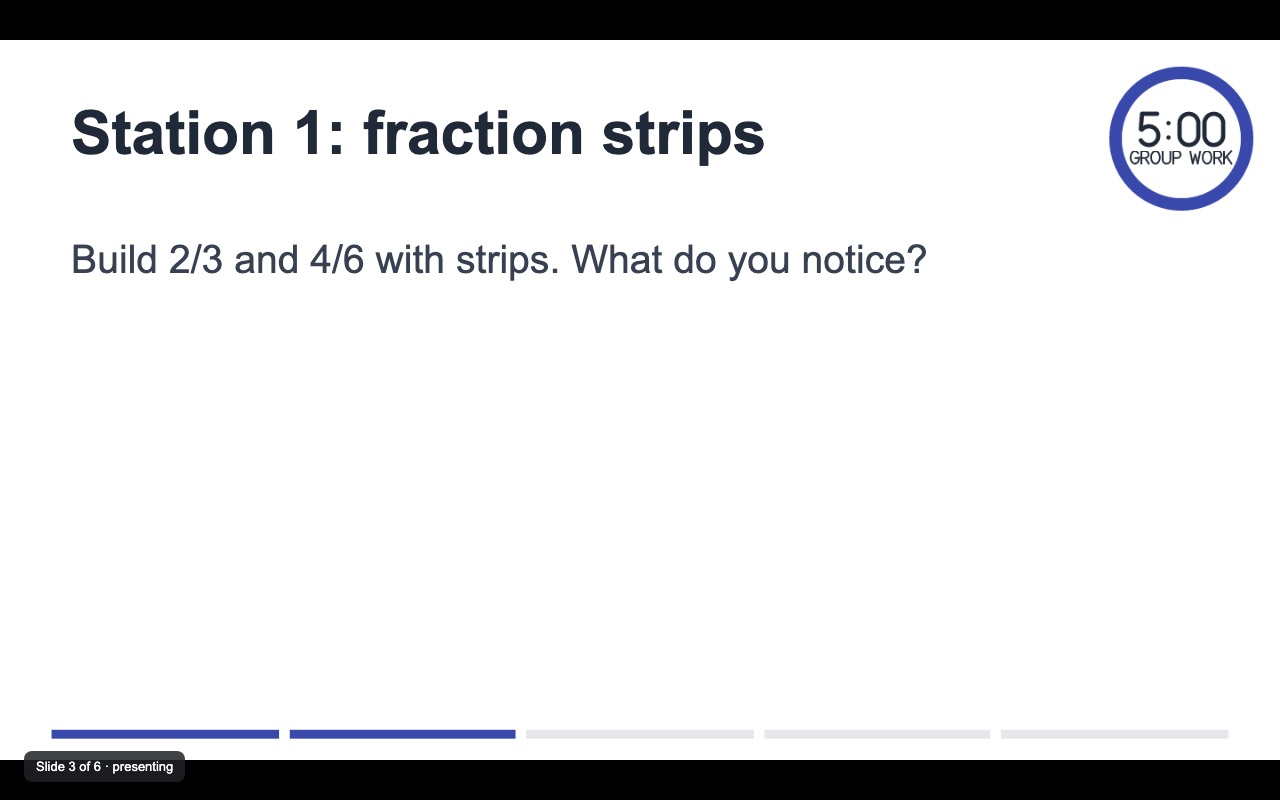
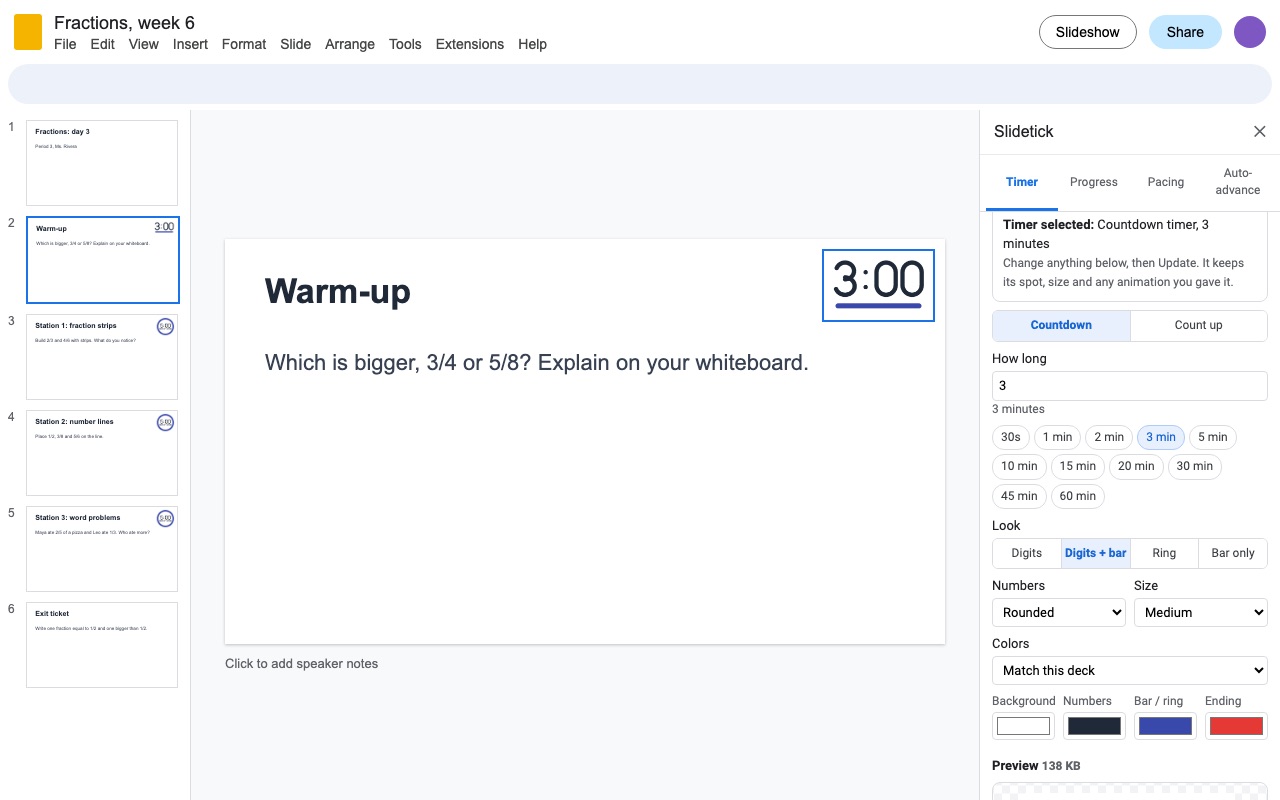
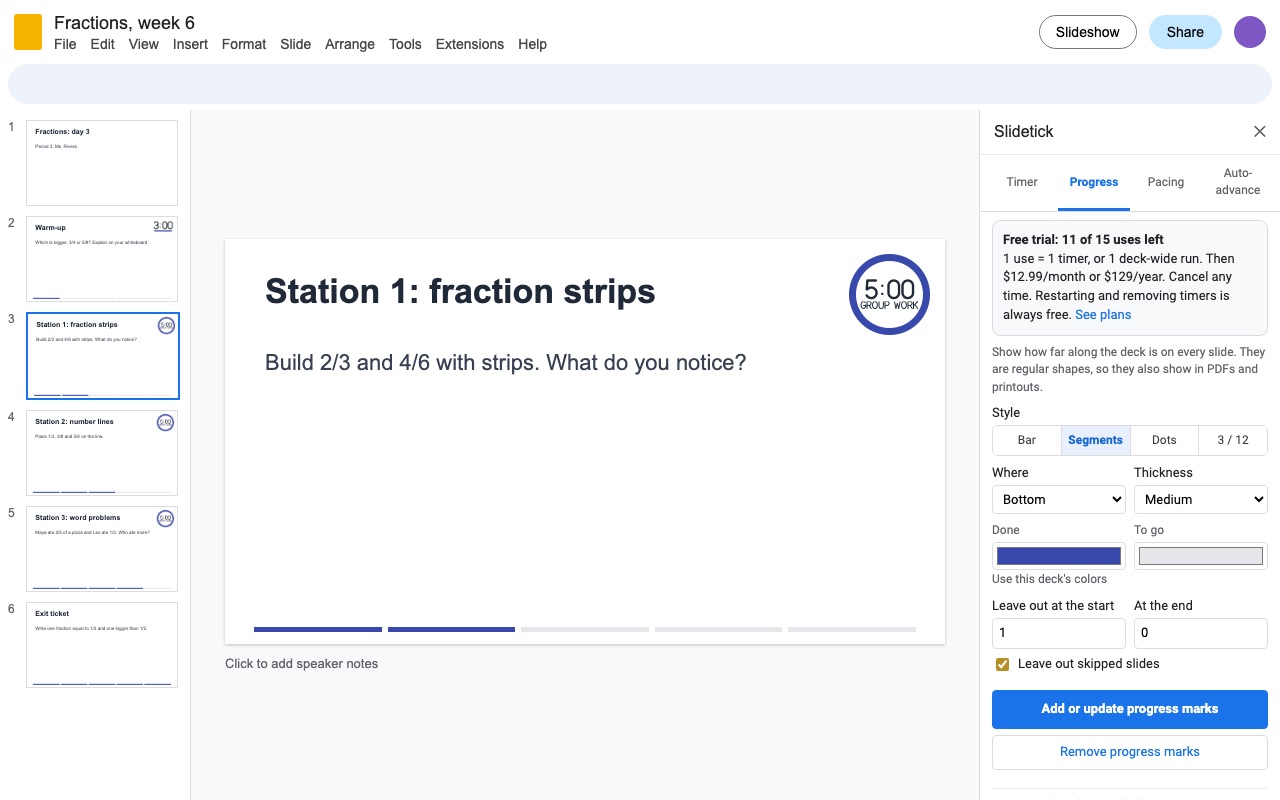
Slidetick puts a real, running timer on your slide. Pick a time, a look and colors that match your deck, and it draws the timer as an animated image, so it counts down in present mode, presenter view and published decks on any computer or Chromebook. No Chrome extension, nothing for students or your audience to install.
What you get
- Countdown and count-up timers that run in present mode, presenter view and published decks with nothing to install
- Digits, digits with a bar, a ring, or a bar along the slide, in your deck's theme colors
- Warning color near the end, blink and "Time's up" at zero, repeat mode for stations
- Restart every timer in one click right before you present
- Progress bar, segments, dots or "3 / 12" on every slide
- A time budget for every slide in the speaker notes, next to presenter view's timer
- Different auto-advance times per slide, with the published link
- Only sees the presentation you open it in; timers are drawn inside Google, no data leaves
Questions about Slidetick
What does Slidetick do?
Timers that run while you present in Google Slides, plus progress bars, per-slide time budgets and auto-advance times. Slidetick puts a real, running timer on your slide. Pick a time, a look and colors that match your deck, and it draws the timer as an animated image, so it counts down in present mode, presenter view and published decks on any computer or Chromebook. No Chrome extension, nothing for students or your audience to install.
What does Slidetick work with?
Slidetick works in Google Slides, in any browser.
How much does Slidetick cost?
$12.99 a month or $129 a year per Google account. Team plan: $1290 a year covers everyone at your company or school domain. Billed through Stripe. Cancel any time from Plans and billing in the add-on.
Is there a free trial?
Free trial: 15 uses or 14 days, whichever comes first. No card needed.
How do I get Slidetick?
Email hello@greatwork.company and we'll help you get Slidetick set up.
Who makes Slidetick?
Great Work LLC, an independent software company. Email hello@greatwork.company with any question about Slidetick and a person will answer.
More Google Slides apps
 Deckdraw
 Deckwrench
 Deckflick
 Deckroll