



SectionmarkNumber Confluence headings 1, 1.1, 1.1.1 inside the heading text: visible while editing, in the table of contents and in exports.
Full name: “Sectionmark: Numbered Headings for Confluence”
From $13.50 a month for up to 10 users. Billed by Atlassian, with a 30-day free trial.
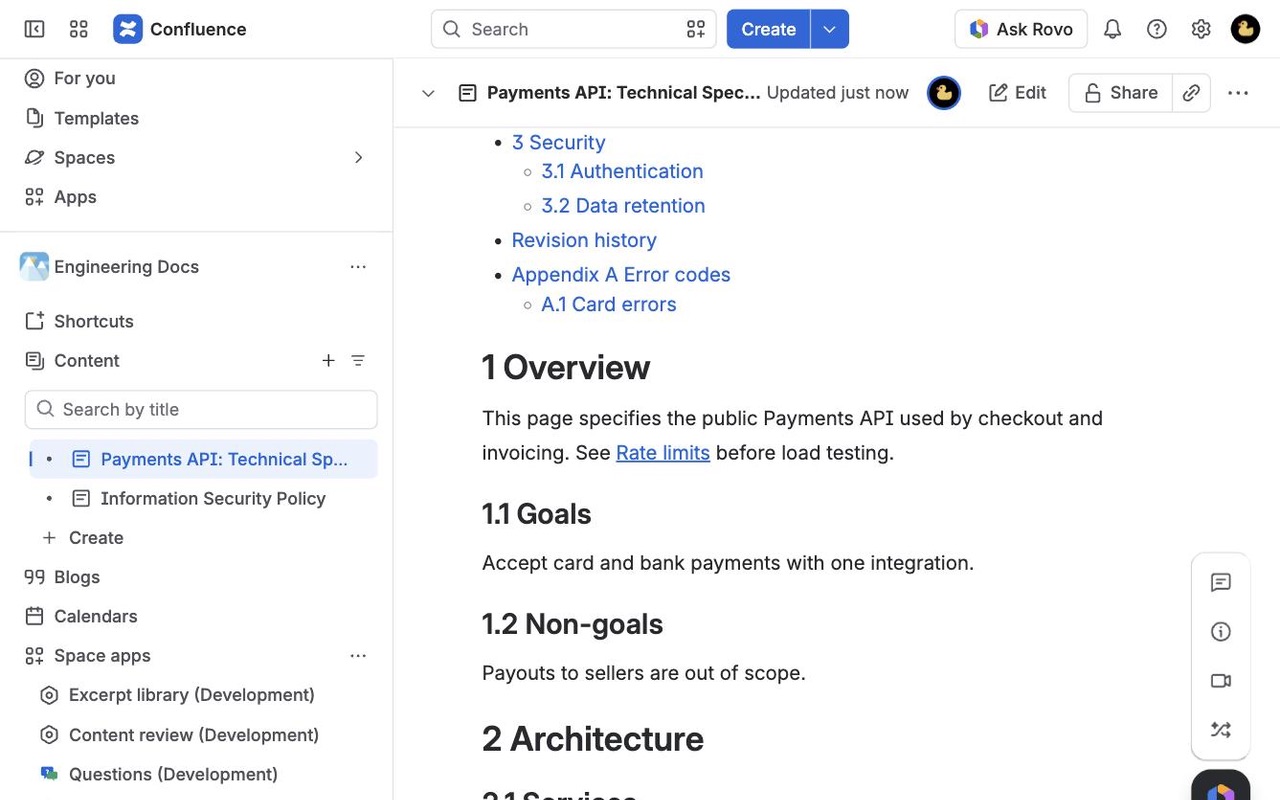
Add outline numbers to every heading with one click and keep them right as the page changes. Numbers live in the heading text, so they show in the editor, the table of contents, links, PDF and Word. No macro to wrap your page in.
What you get
Numbers you can see while you edit
Numbers are part of the heading text, so they show in the editor, the table of contents, links and PDF or Word exports. No macro wraps your page.
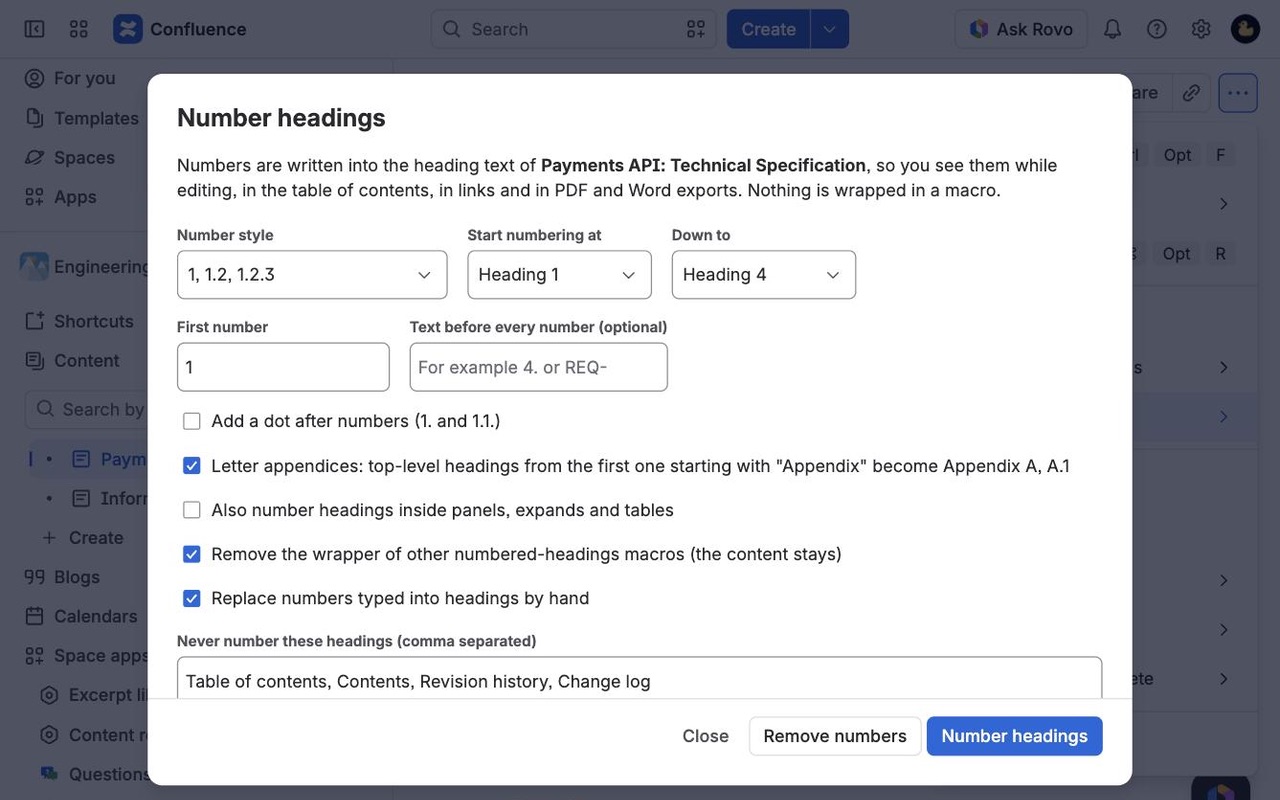
Preview every heading, then apply
Pick 1.1.1, 1.1.a or A.1.1, the levels to number, a start number or a prefix. The preview shows each heading before and after. One page version per change.
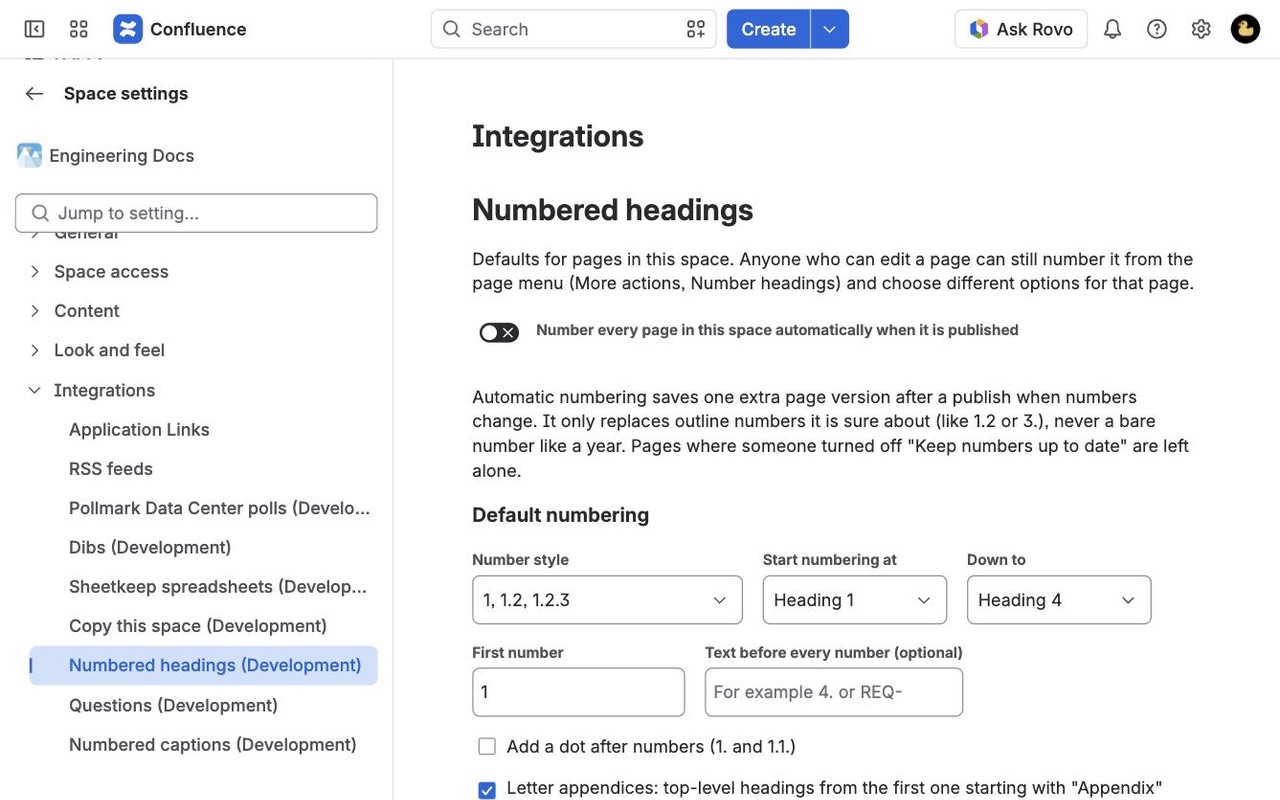
Numbers stay right as the page changes
Add, move or delete a section and publish: numbers update on their own. Space admins can turn this on for a whole space and set the default style.
Questions about Sectionmark
What does Sectionmark do?
Number Confluence headings 1, 1.1, 1.1.1 inside the heading text: visible while editing, in the table of contents and in exports. Add outline numbers to every heading with one click and keep them right as the page changes. Numbers live in the heading text, so they show in the editor, the table of contents, links, PDF and Word. No macro to wrap your page in.
What does Sectionmark work with?
Sectionmark works in Confluence Cloud.
How much does Sectionmark cost?
$13.50 a month for up to 10 users, or $135 a year. From 11 users: $1.35 per user a month, with lower rates for larger sites.
Is there a free trial?
Billed by Atlassian, with a 30-day free trial.
How do I get Sectionmark?
Email hello@greatwork.company and we'll help you get Sectionmark set up.
Can I see the numbers while I edit?
Yes. The numbers are part of the heading text, so they show in the editor, the table of contents, links, search and exports.
Do I have to wrap my page in a macro?
No. Sectionmark is a page menu action. Nothing wraps your content, so code blocks and other macros on the page keep working.
Can numbering start at 4, or use a prefix like REQ-?
Yes. Set First number, or put the text you want in Text before every number, such as 4. for 4.1, 4.2.
Are numbers kept in PDF and Word exports?
Yes, and only once, because they are ordinary text that every exporter sees.
Will it publish surprise new versions?
Only if you ask it to. Automatic renumbering is controlled per page with Keep numbers up to date, and per space by a space admin. It saves a version only when a number changes, with a clear version message.
Will it change the year at the start of "2026 roadmap"?
No. Four-digit numbers, versions and abbreviations are never treated as heading numbers.
Who makes Sectionmark?
Great Work LLC, an independent software company. Email hello@greatwork.company with any question about Sectionmark and a person will answer.
More Confluence apps
 Sheetkeep
 Sealwell
 Shelfback
 Rowtally