



GlosslarkSend text to translators as XLIFF, strings or JSON and bring every language back as copies.
Full name: “Glosslark: Localization Export and Import”
$29 a month or $299 a year per seat. Free trial: 7 days with 10 runs. No card needed.
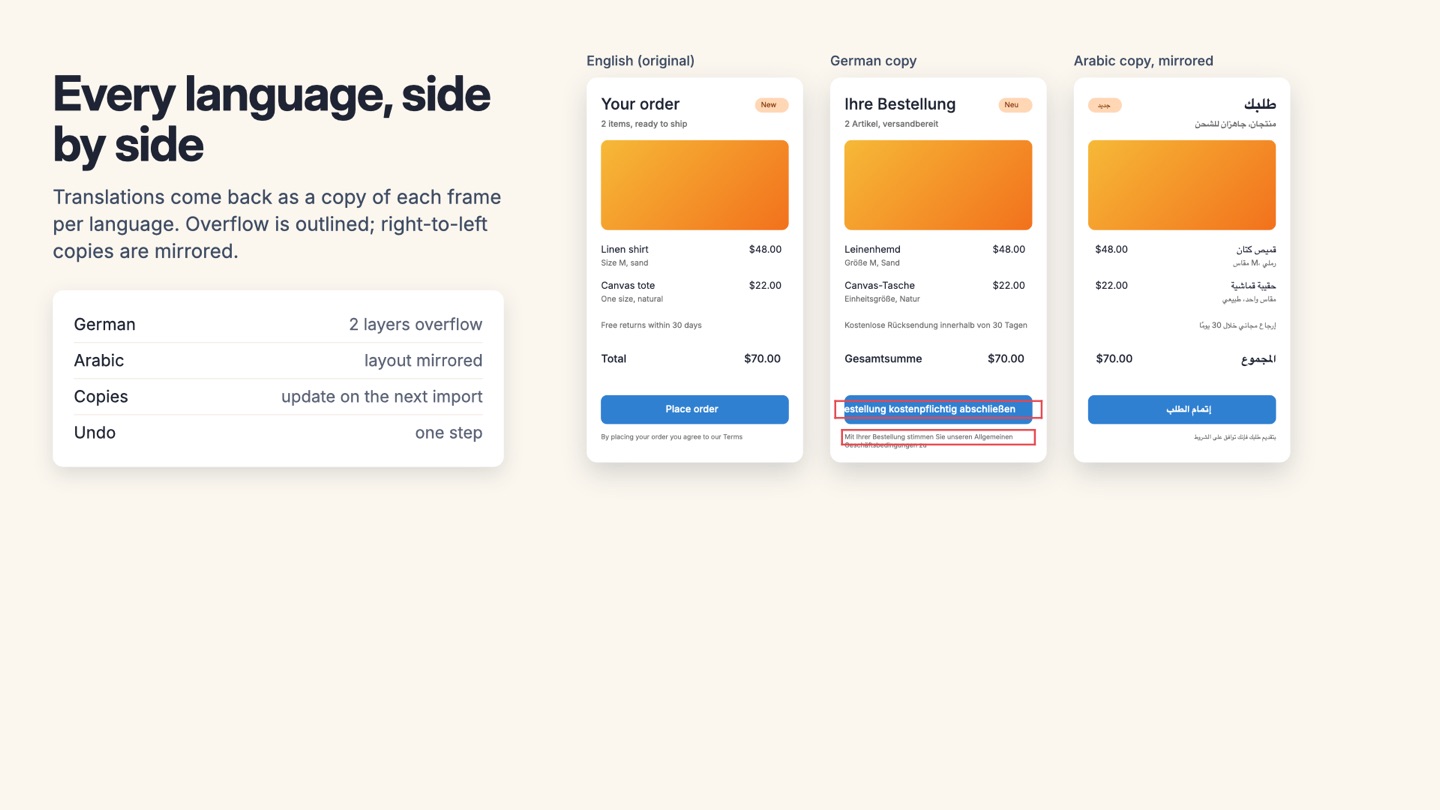
Translation files in, language copies out. Figma's AI can machine-translate a layer, but your translators, agency or translation platform work with files. Glosslark exports your design's text in the format they use, with the context they need, and brings the translations back onto the canvas, where you can see what breaks.
What you get
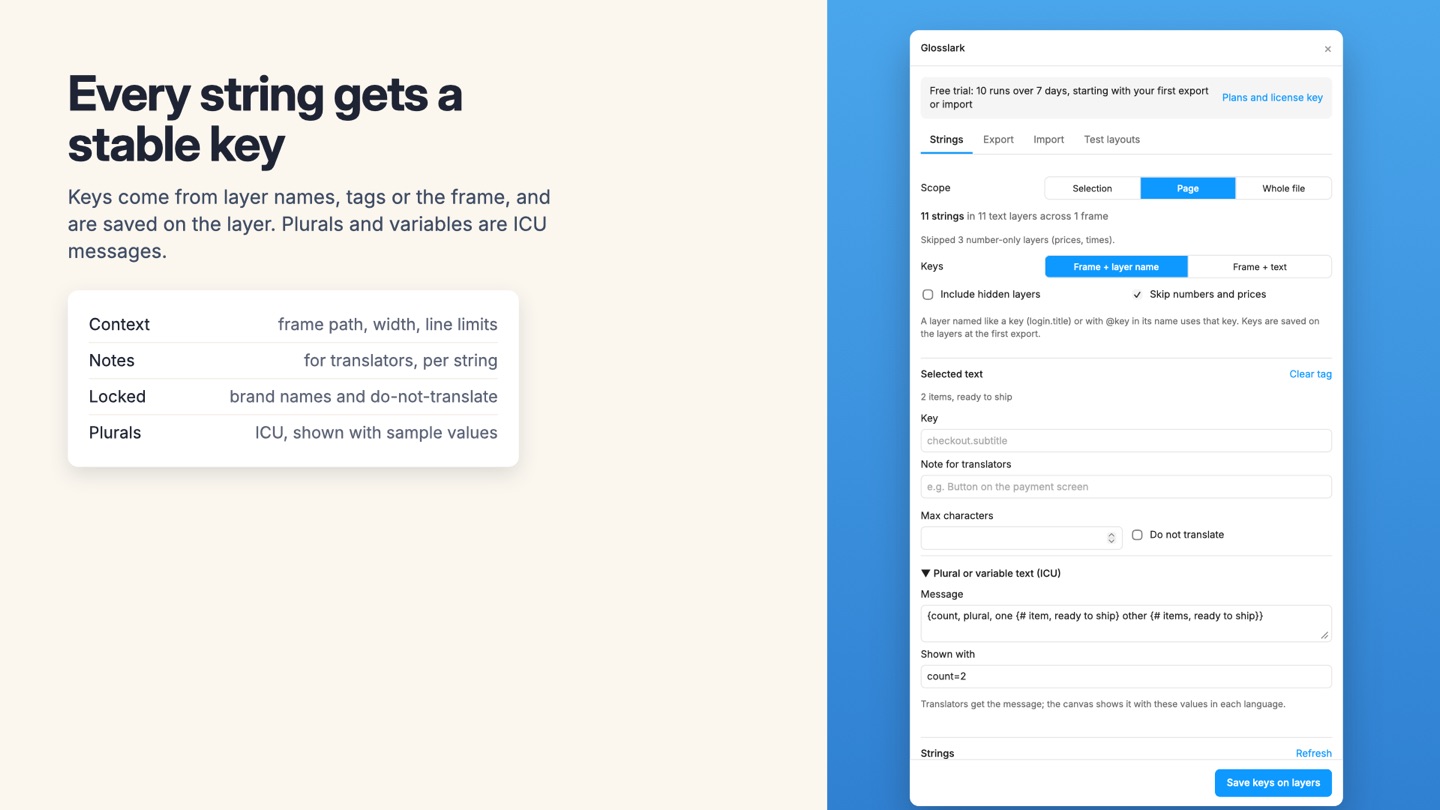
- Finds every text layer in the selection, the page or the whole file and gives each string a stable key: from a key-shaped layer name, a tag, or generated from the frame and layer, then saved on the layer
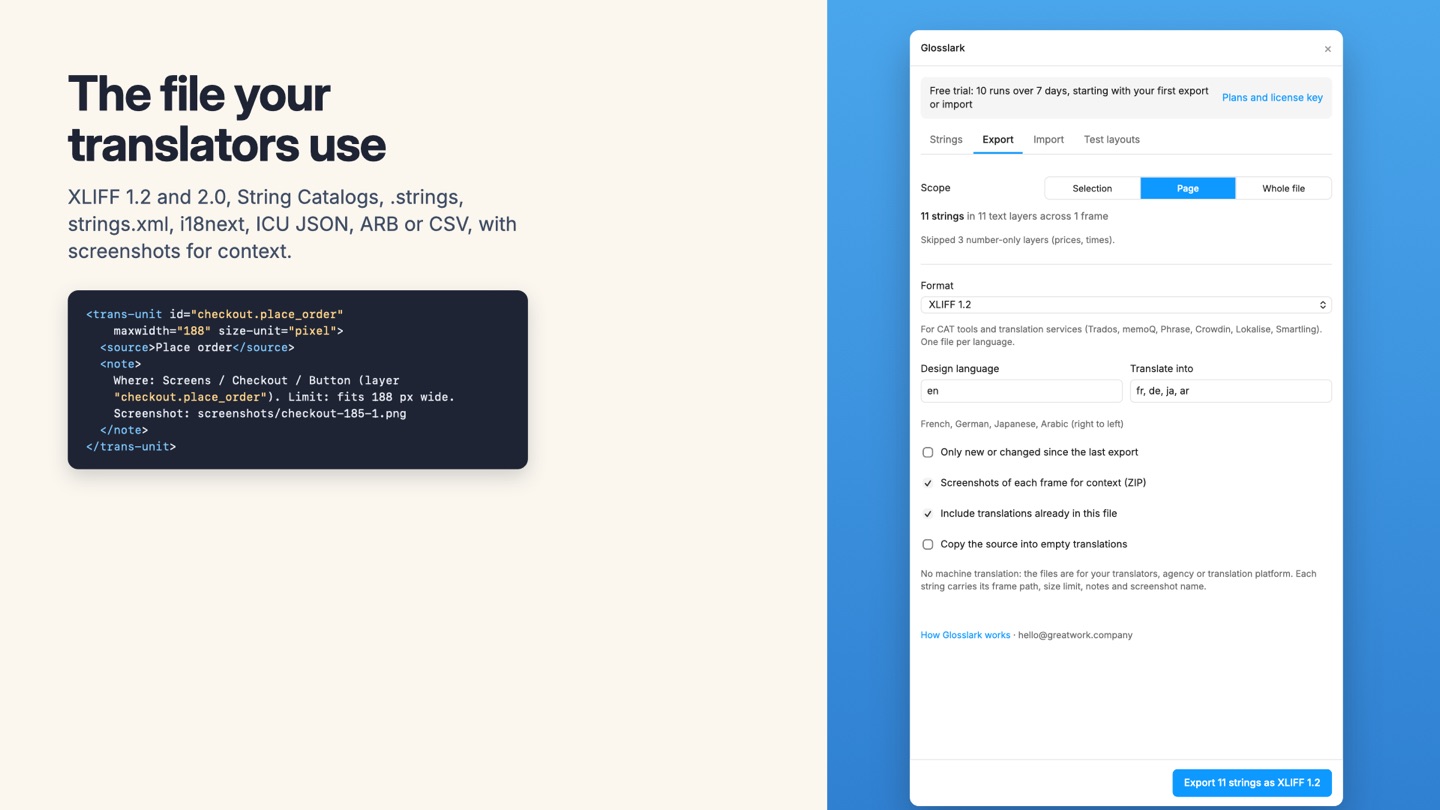
- Context for translators on every string: page and frame path, the width it has to fit, line and character limits, notes, and a screenshot of its frame
- Exports XLIFF 1.2 and 2.0, Apple String Catalogs (.xcstrings) and .strings, Android strings.xml, i18next JSON, ICU JSON (FormatJS, Lingui, next-intl), Flutter ARB and CSV for spreadsheets
- Plurals and arguments as ICU messages, written in each format's own syntax (Android plurals, String Catalog variations, i18next _one/_other) and rendered on the canvas with sample values
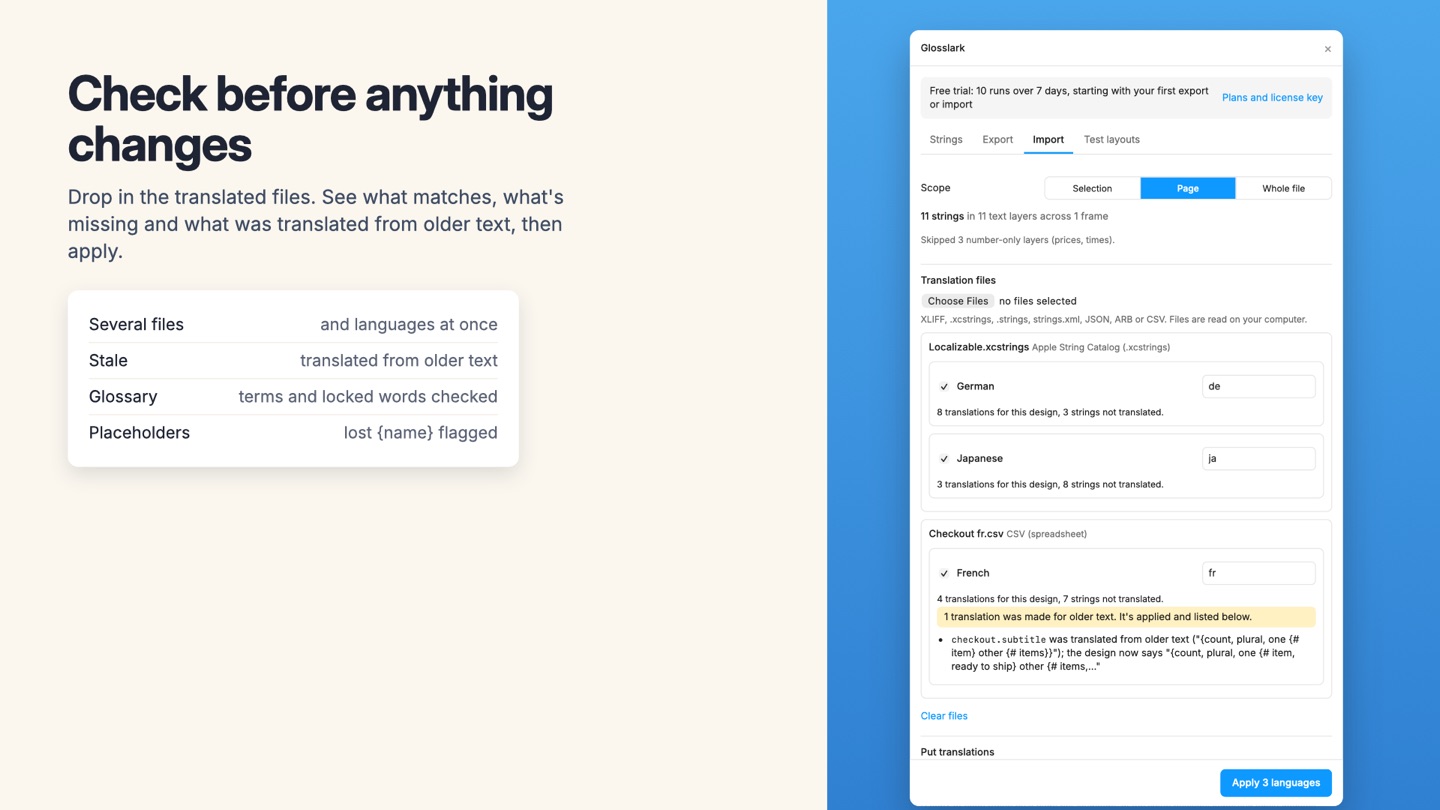
- Imports the translated files back: a copy of each frame per language on its own page or next to the original, string variables with a mode per language, or in place
- Updates existing language copies when a newer translation arrives instead of making more
- Pseudo-localization with accents, 30 to 40 percent expansion (or IBM's guideline by length), brackets and a right-to-left pseudo-locale, to test layouts before translation
- Overflow report after every import: text cut off in fixed boxes, text running past its frame or auto layout, and letters the font doesn't have, each with a Select button
- Right-to-left copies for Arabic, Hebrew, Persian and Urdu: auto layout rows reversed, positions and text alignment mirrored
- Glossary and do-not-translate list kept in the file, written into translator notes and checked on import
- Change tracking: export only strings that are new or changed since the last export to each language, and stale translations flagged on import
- A font per script (for example Noto Sans Arabic for Arabic) applied to translated layers
- No machine translation: built for human translators, agencies and translation management systems
- Nothing about your file is uploaded
Questions about Glosslark
What does Glosslark do?
Send text to translators as XLIFF, strings or JSON and bring every language back as copies. Translation files in, language copies out. Figma's AI can machine-translate a layer, but your translators, agency or translation platform work with files. Glosslark exports your design's text in the format they use, with the context they need, and brings the translations back onto the canvas, where you can see what breaks.
What does Glosslark work with?
Glosslark works in Figma Design, in the desktop app and in the browser.
How much does Glosslark cost?
$29 a month or $299 a year per seat. Buying for a team? Pick the number of seats at checkout and one license key covers everyone. Billed by Great Work LLC through Stripe, not through Figma. Cancel any time from Manage billing.
Is there a free trial?
Free trial: 7 days with 10 runs. No card needed.
How do I get Glosslark?
Email hello@greatwork.company and we'll help you get Glosslark set up.
Who makes Glosslark?
Great Work LLC, an independent software company. Email hello@greatwork.company with any question about Glosslark and a person will answer.
More Figma apps
 Guidelark
 Fontmend
 Lintmend
 Exportwell