



FormbriefSummary reports for Google Forms: filter by date or answer, compare groups, PDF and scheduled email
$39 a month or $379 a year per Google account. Free trial: 14 days or 15 reports, whichever comes first. No card needed.
Formbrief turns your form's responses into a clean summary report you can filter, share and schedule.
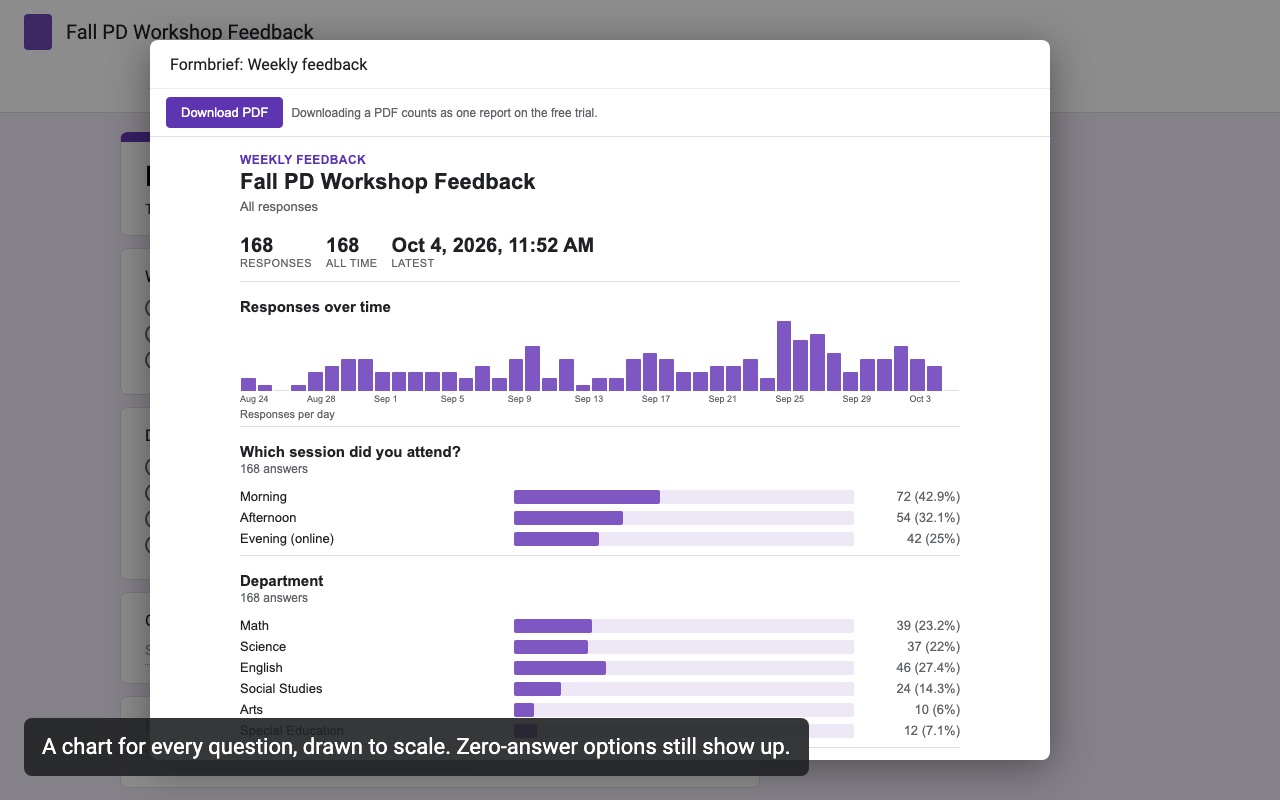
The Summary tab in Google Forms shows every response at once. Formbrief answers the questions it can't:
What you get
- A chart and numbers for every question type, including checkboxes, grids and scales
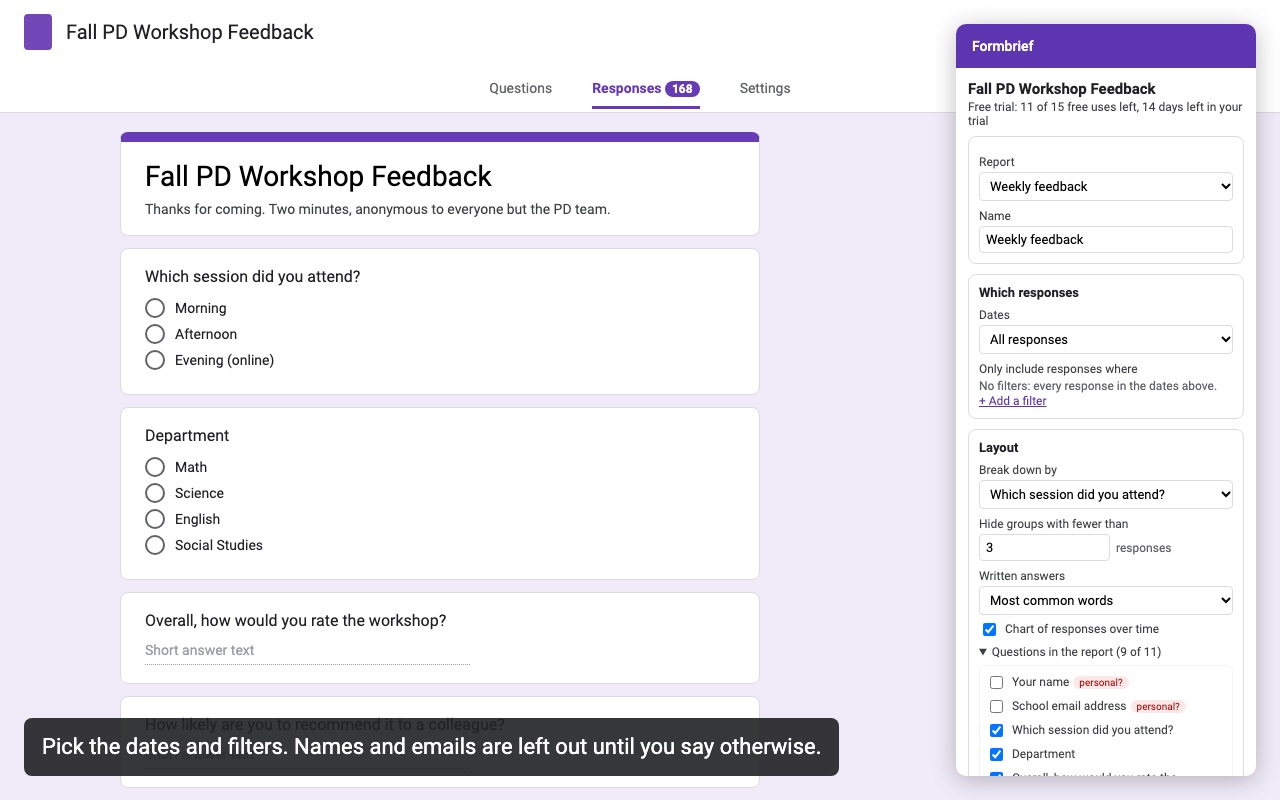
- Filter by date range (last week, last month, since the last report, custom) and by answer
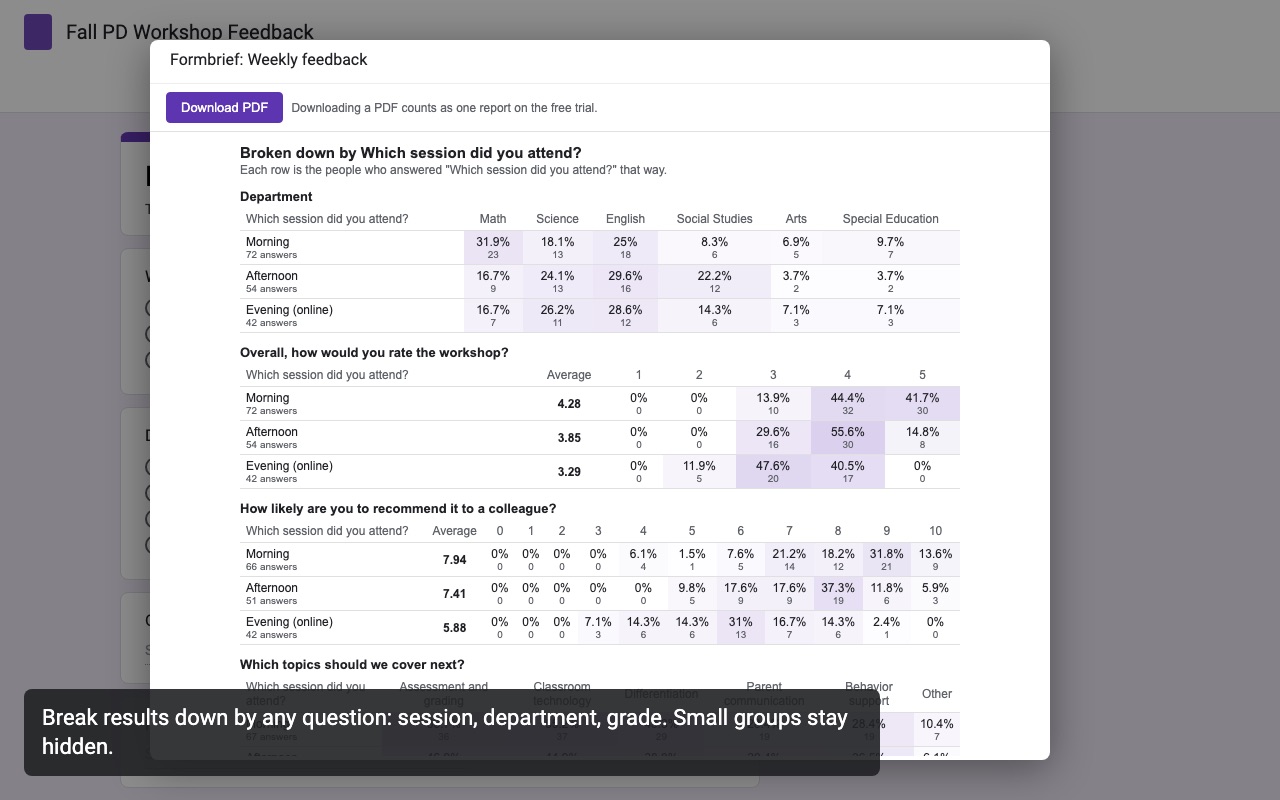
- Compare groups: results broken down by any multiple choice question
- Names, emails and other personal questions left out by default
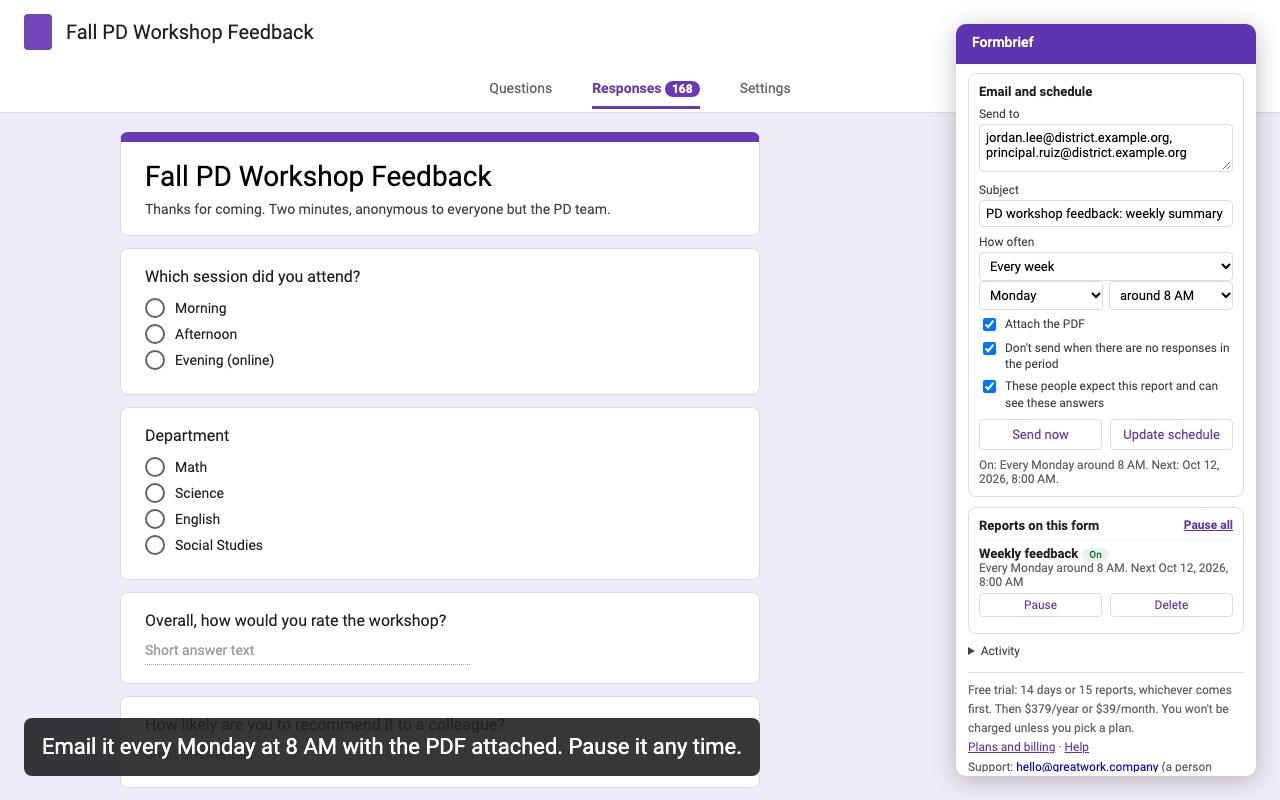
- One-click PDF, and email reports daily, weekly or monthly
- Averages, medians, Net Promoter Score and quiz score summaries
Questions about Formbrief
What does Formbrief do?
Summary reports for Google Forms: filter by date or answer, compare groups, PDF and scheduled email. Formbrief turns your form's responses into a clean summary report you can filter, share and schedule.
What does Formbrief work with?
Formbrief works in Google Forms, in any browser.
How much does Formbrief cost?
$39 a month or $379 a year per Google account. Billed through Stripe. Cancel any time from Plans and billing in the add-on.
Is there a free trial?
Free trial: 14 days or 15 reports, whichever comes first. No card needed.
How do I get Formbrief?
Email hello@greatwork.company and we'll help you get Formbrief set up.
Who makes Formbrief?
Great Work LLC, an independent software company. Email hello@greatwork.company with any question about Formbrief and a person will answer.
More Google Forms apps
 Formhours
 Form Mailroom
 Formshelf for Notion
 Form Bugle